INCLUDED ACCESSORIES
FEATURES
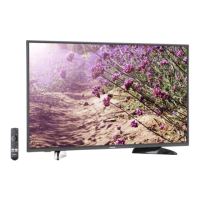
Front
Voice Remote with Alexa and two AAA batteries
WHAT YOU NEED (not included)
*Subscription or other payment may be required to access certain content.
Back
FIND YOUR USER GUIDEUSER GUIDE ONLINE!
Go to www.tv.toshiba.com and search for
TF-50A810U19.
Before using your new product, please read these instructions to prevent any damage.
Your TV has four VESA mounting holes on the back. If you attach a wall-mount bracket to the back of
your TV, the bracket must be securely attached, using all four holes. If you do not use all four
mounting holes, your TV may fall and cause property damage or personal injury. See the documentation
that came with your wall mount for complete mounting instructions.
WALL MOUNT
How do I prepare my TV for wall mounting? (not for use with a TV stand)
You’ll need: Soft surface and a Phillips screwdriver.
Before you mount your TV, make sure that:
• You remove the stand legs.
• The bracket supports the weight of your TV.
A Carefully place your TV face-down on a cushioned, clean surface.
B See the instructions that came with your wall mount for more information about how to
correctly mount your TV.
VESA Mounting Pattern
400 × 200 – M6 x 25 mm type screws (4 pcs)
Stand legs
Phillips screwdriver
Internet connection (wired or wireless)*
START HERE
How do I attach the stand to my TV? (not for wall mounting)
You’ll need: Soft surface and a Phillips screwdriver.
Carefully place your TV face-down on a cushioned, clean surface.
Secure each TV stand leg to the back of your TV with two of the provided screws.
1
50" | M5 type (17 mm) screws
OR
B
QUICK SETUP GUIDE
A
50" 60 Hz LED TV / 4K ULTRA HD
50
"
2
COAXIAL (GOOD)
HDMI
®
(BEST)
Best video quality
MAKING CONNECTIONS
How do I watch TV (cable, satellite, or antenna) or connect a device such as a DVD or Blu-ray disc player or game console?
How do I connect to the internet?
ETHERNET (OPTIONAL)
HDMI OUT
AUDIO/VIDEO OUT
VIDEO
L
R
Note: You have to connect
either LAN or Wi-Fi to access
the Internet. See back for additional info.
AV (GOOD)
Note: Connect an ARC-enabled
home theater receiver
to HDMI 1 (ARC).
AA
A
+
AA
A
+
*connect HD Antenna to
access live over-the-air TV
HD
M5 screws
(17 mm length)
(4 pcs.)
TF-50A810U19
Power cord
Power On/Standby LED
Remote sensor
Power/Input button
Press to turn your TV
on/off manually. When
TV is on, a short press
will change inputs, a
long press will turn
off TV.
*

 Need help?



 To Next Page
 General