E6581299
- 28 -
5.2. Windows Vista, 7
Two drivers can be removed using the Device Manager. Do not reverse following (3) (5) in the
order by which the driver software are deleted.
(1) Connect the USB001Z unit to the computer with a USB cable.
* At this time, do not connect the USB001Z unit to the inverter.
(2) Open the Device Manager.
Click “Start” button on Windows Vista, RIGHT-click “Computer,” and select “Properties”
from the menu that appears. And then click the “Device Manager” of the “System” dialog
box. For details, refer to section 4.2.
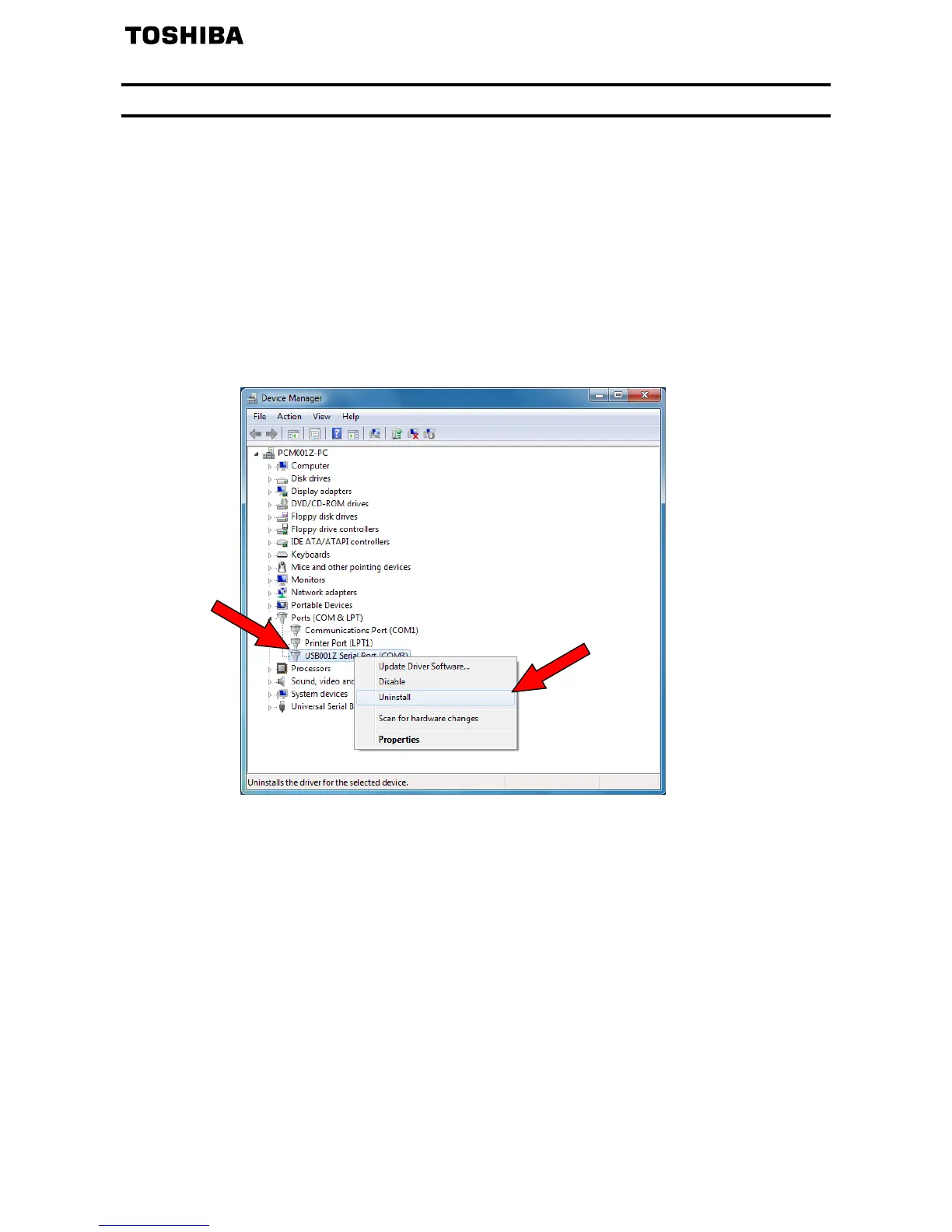
(3) Click the "" sign on the left side of “Port (COM&LPT).”
Select “USB001Z Serial Port, right-click on the mouse and select “Uninstall”.


 To Next Page
 Loading...