Digital Display and Control Unit
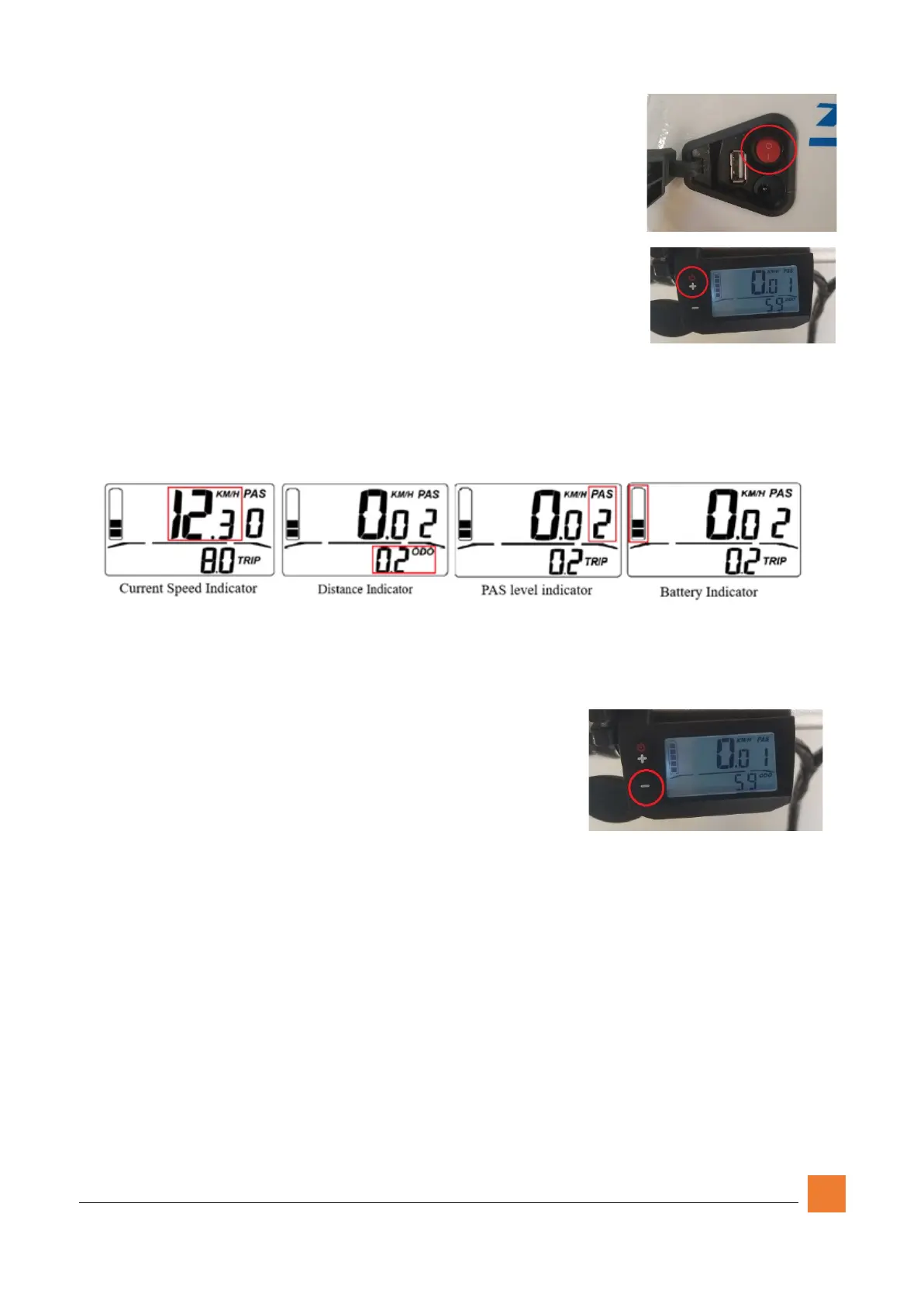
The digital display is located on the left side of the handlebar.
When the power is off, you will see a blank screen.
To turn the bike’s battery on, locate the power switch on the front
left side of the frame. The circle indicates the “off” position and
the line represents the “on” position. Toggle the switch to “On.”
Once the switch is toggled to the “On” position, locate the power
button for the digital display on the top left corner of the display
module.
Display Items
When the display is turned on, you will see the home screen showing the current battery
charge, current speed, pedal assist level, and either the odometer or the current trip
distance.
The display automatically cycles between displaying the odometer or the current trip
distance every 5 seconds.
Activating the Backlight
To turn on the digital display backlighting, simply press
and hold the DOWN (-) button for 3 seconds and let go.
To turn the backlight off, press and hold the DOWN (-)
button for 3 seconds and let go.
Pedal Assist (PAS)
Press and release the UP and the DOWN button to change the PAS level. The available
settings are 0-5. Setting it to “0” disables the PAS and Throttle modes, putting the bike in
full manual (pedaling) mode. Modes 1-5 changes the amount of additional the thrust the
motor provides (1 being the lowest and 5 being the highest). These can be changed at any
time while riding.


 To Next Page
 Loading...