1
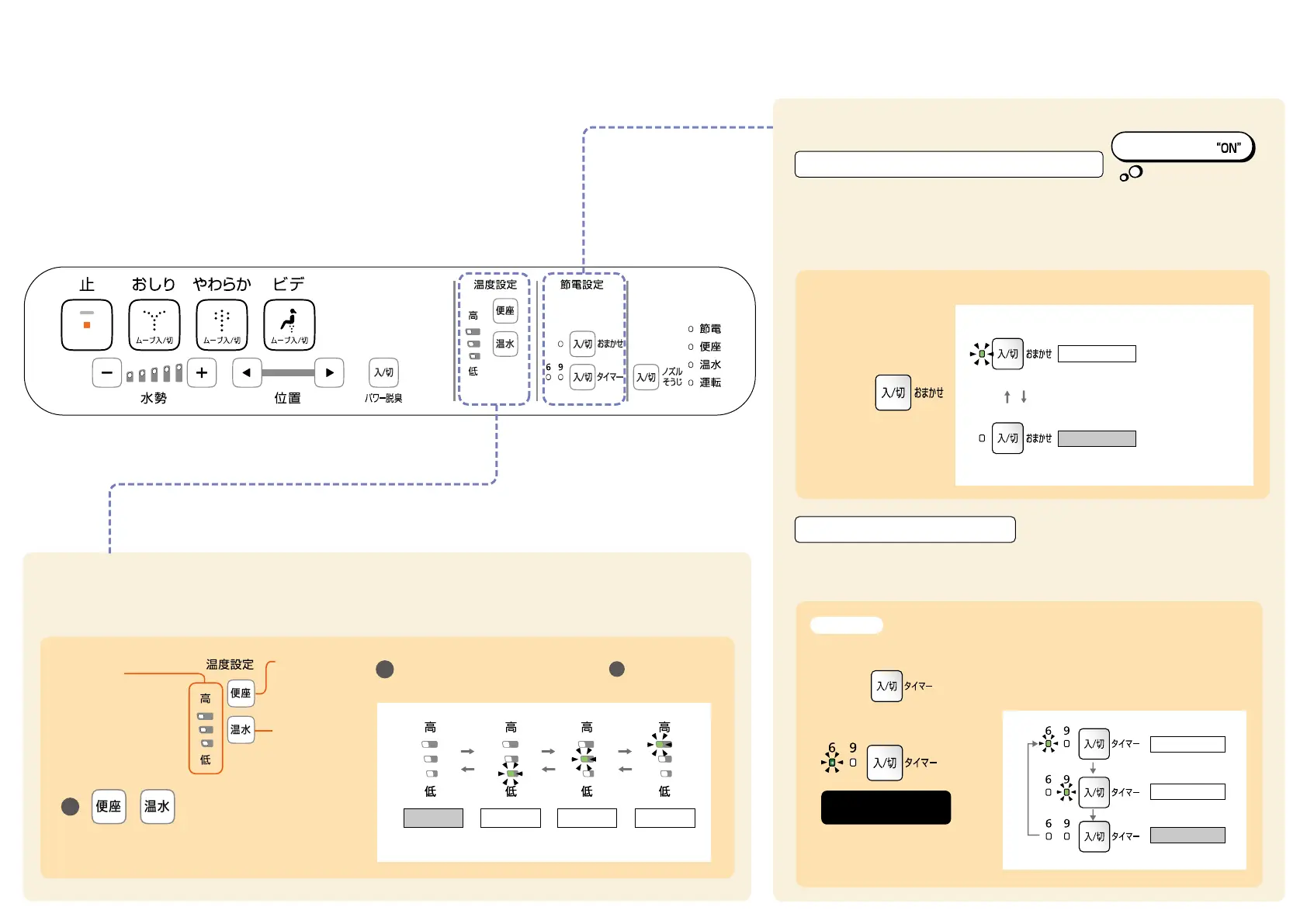
Temperature Adjustment
Temperature can be changed to "Warm Water" and "Toilet Seat".
2
Energy-Saving Features
※It takes approximately 10 days to determine the time slot where
the toilet is used less frequently.
Once set, the toilet seat heater turns off everyday at that time to save energy.
(The energy-saving time period can be set to 6 or 9 hours.)
When the time (1:00 am) you want to start energysaving function is reached,
press the button repeatedly until the "6" LED lights up.
The Washlet memorizes the time slot when the toilet is used less frequently
and lowers the toilet seat temperature automatically to save energy.
You can turn the feature ON/OFF at your discretion.
Press the button of the temperature you
want to change.
How to Use
More comfortable! More Energy-Savings!
Press the button selected in step repeatedly
until a desired temperature level lights up.
1
OFF LOW MEDIUM HIGH
Recommended energy-saving !
Default setting
AUTO ENERGY-SAVING FUNCTION
To turn the auto
energy-saving
function "ON"
To turn "OFF"
ON
OFF
LED goes out.
ENERGY-SAVING TIMER
When using energy-saving function for 6 hours(1:00 - 7:00am).
Example
6 hours
9 hours
LED goes out.
OFF
Displaying
the temperature level
of the pressed button
Toilet seat
temperature
adjusutment
button
Warm water
temperature
adjustment
button
LED goes out.
Setting completed
Press the





 To Previous Page