© 2018 Touchjet USA, Inc. All Rights Reserved Rev. C 18
Step 7
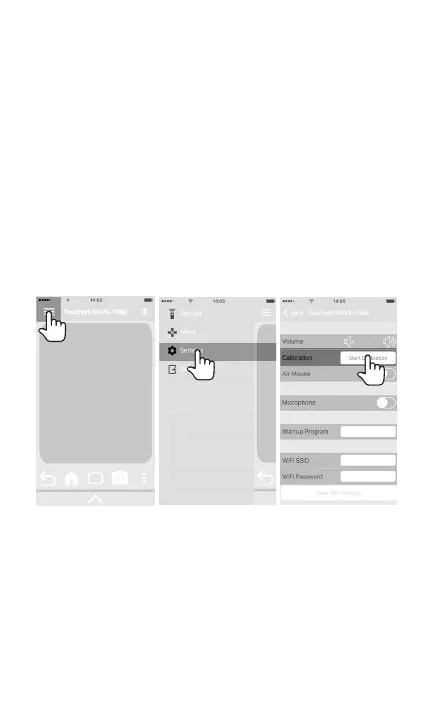
Touchscreen Calibration
A. In the Settings menu of the Touchjet Mobile app, press
Start Calibration.
You can now set aside your phone or tablet, as the
next few steps will be done directly on your TV screen
using the Lily Stylus. You are about to teach your WAVE
where it will find the borders of your screen and what to
perceive as touch. Use only one stylus at a time for this
process.



 To Next Page