8
barrel lightly to release the bread.
5. Allow the bread to cool on a heatproof rack before use.
6. If the paddle has got stuck in the loaf, remove it with a melamine fork or other suitable tool.
Note: Always use a rack. If you leave the bread to cool on a normal work surface, water vapour in the
bread will not evaporate and the bottom of the loaf may be spoiled.
Program Selector:
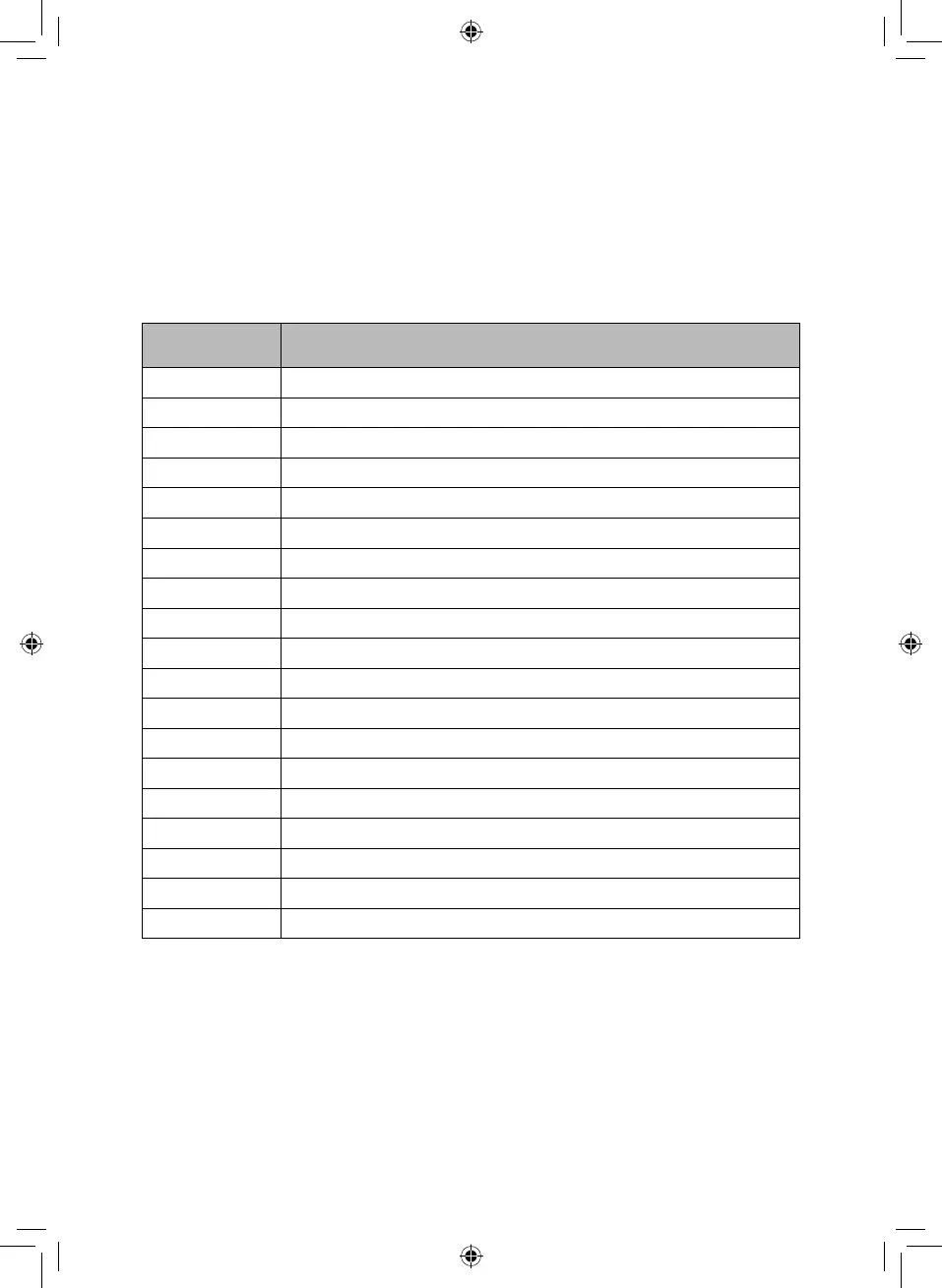
When selecting a program on the control panel menu, the LCD display will show 1 -19. The program
settings are as follows:
PROGRAM PRODUCT
1 Basic Bread
2 Sweet Bread
3 Sourdough
4 French
5 Whole Wheat
6 Quick
7 Sugar-free
8 Multigrain
9 Milky Loaf
10 Cake
11 Unleavened Dough
12 Leavened Dough
13 Jam
14 Bake
15 Yoghurt
16 Gluten-free
17 Sticky Rice
18 Stir Fry
19 Ferment
Jam:
• Prepare your fruit and other ingredients as per your recipe. When preparation is done, put all
the ingredients into the bread barrel.
• Press MENU and select program 13. Default time: 1 hour and 5 minutes.
• When the jam-making cycle is finished, a buzzer will sound. Take the bread barrel out and
allow to cool. Pour the jam into containers.
CAUTION! The jam will be very hot.
Bake:
• Once you have grasped how to make bread, you can just use “Leaven Dough” to control the


 To Next Page