139
2000 4Runner (OM35762U)
Fan speed selector
Move the lever to adjust the fan speed—
to the right to increase, to the left to
decrease.
Temperature selector
Move the knob to adjust the tempera-
ture—to the right to warm, to the left to
cool.
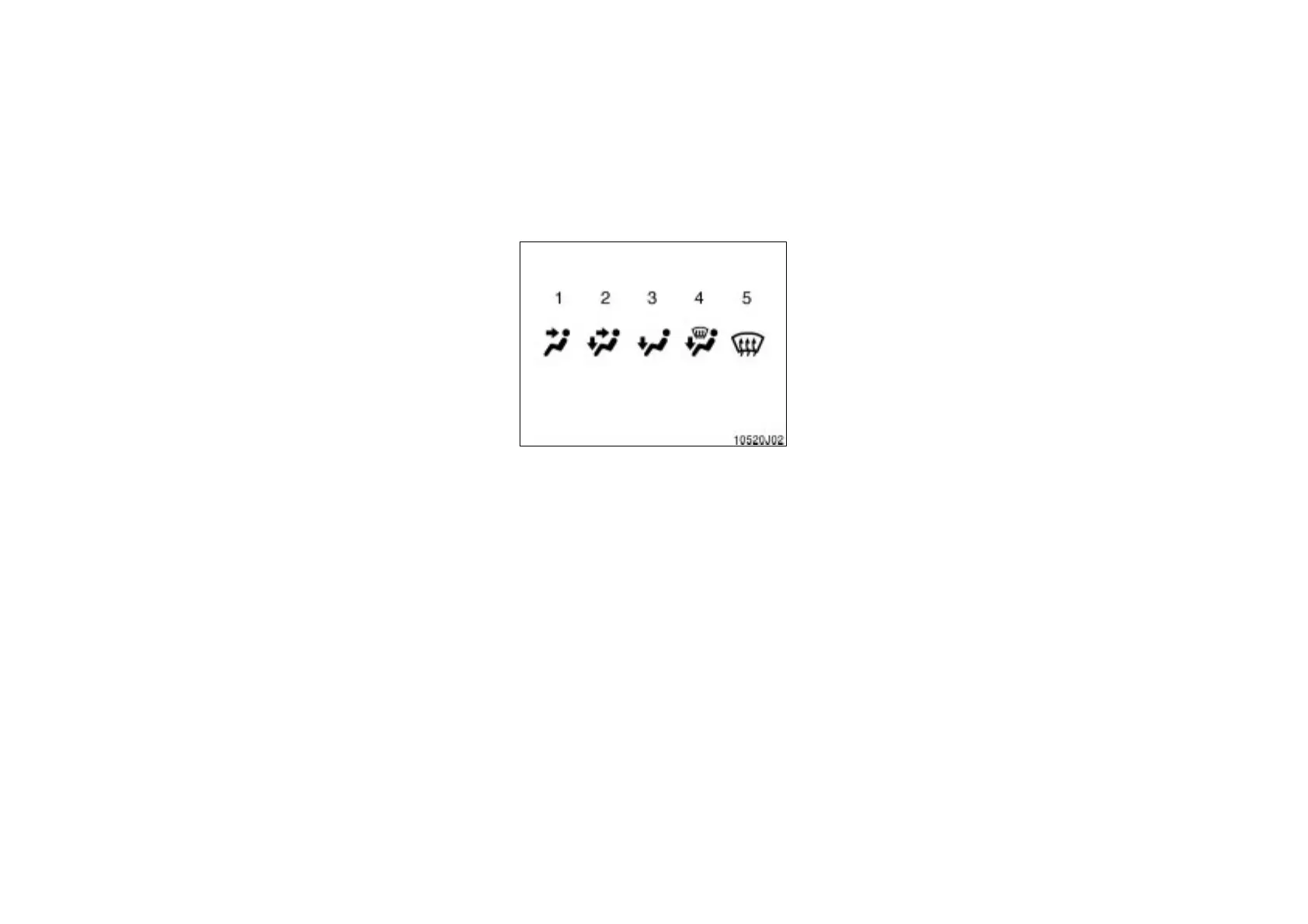
Air flow selector
Move the knob to select the vents used
for air flow.
1. Panel—Air flows mainly from the
instrument panel vents.
2. Bi- level—Air flows from both the floor
vents and the instrument panel vents.
3. Floor—Air flows mainly from the floor
vents.
4. Floor/Windshield—Air flows mainly
from the floor vents and windshield
vents.
Use with the air intake selector posi-
tioned in Fresh.
5. Windshield—Air flows mainly from the
windshield vents.
Use with the air intake selector posi-
tioned in Fresh.
For details about air flow selector settings,
see the illustration after “A/C” button.
Turning the Air Flow Selector to wind-
shield position turns on the defroster to
clear the front view more quickly.













 To Next Page