58
1-2. Opening, closing and locking the doors
■ Setting and canceling the functions
To switch between setting and canceling, follow the procedure
below:
Vehicles without smart key system:
Close all the doors and turn the engine switch to the “ON”
position. (Perform step 2 within 10 seconds.)
Vehicles with smart key system:
Close all the doors and switch the “ENGINE START STOP”
switch to IGNITION ON mode. (Perform step 2 within 10 sec-
onds.)
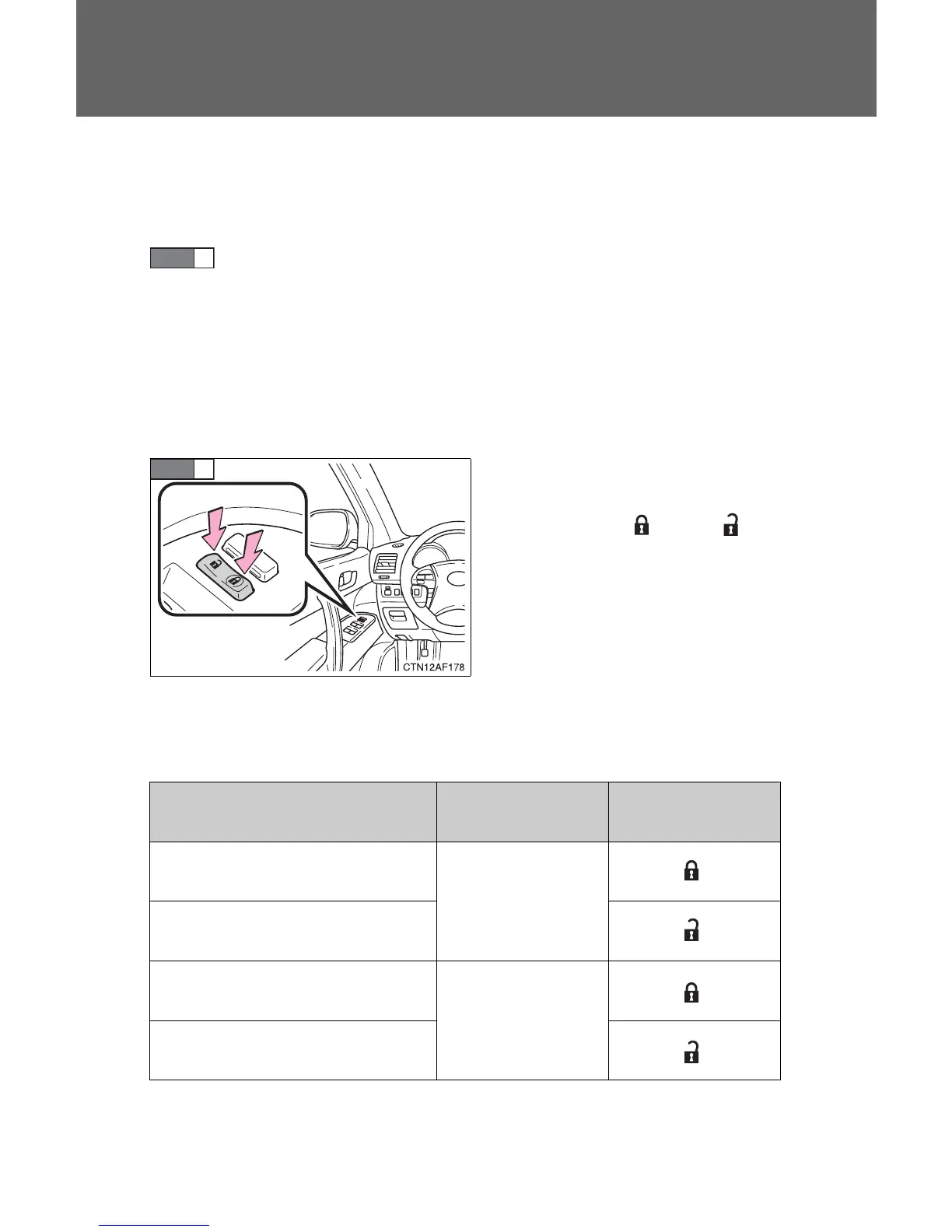
Shift the shift lever to P or N, and
press and hold the driver's door
lock switch (
or ) for
approximately 5 seconds and
then release it.
The shift lever and switch posi-
tions corresponding to the
desired function to be set are
shown as follows.
Use the same procedure to can-
cel the function.
STEP
1
STEP
2
Function Shift lever position
Driver’s door lock
switch position
Shift position linked door lock-
ing function
P
Shift position linked door
unlocking function
Speed linked door locking func-
tion
N
Driver's door linked door unlock-
ing function










 To Next Page