’02MY CELICA U (L/O 0108)
210
2002 MY CELICA_U (OM20792U)
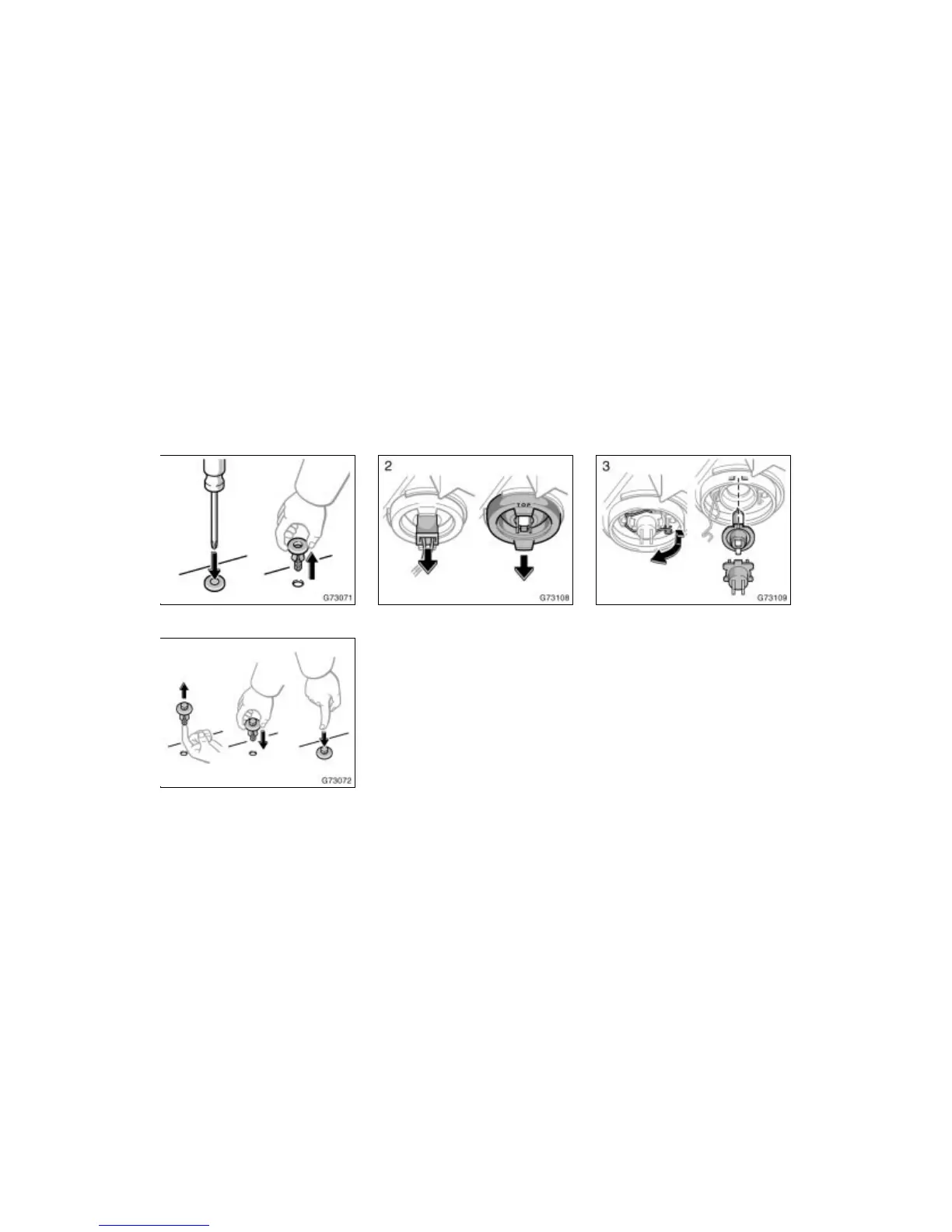
Removing clip
Installing clip
2. Unplug the connector. Remove the
rubber cover.
If the connector is tight, wiggle it.
3. Release the bulb retaining spring
and remove the bulb along with the
socket. Install a new bulb into the
socket and return the bulb retaining
spring to its original position.
To install a bulb, align the tabs of the
bulb with the cutout of the mounting hole.



 To Next Page