

EasyManua.ls Logo

Toyota PZ41C-X0270-00 User Manual

Toyota PZ41C-X0270-00
115 pages
To Next Page IconTo Next Page
Page #1 background imageLoading...
Page #1 background image
www.toyota-europe.com
Publication no. AOM 001 559
Printed in the UK
PZ49X-X0270-WE
PZ49X-X0270-NE
PZ49X-X0270-EE
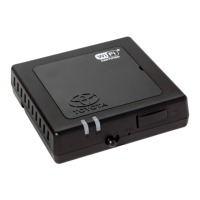
TOYOTA HOTSPOT
Quick Start Guide
English
Norsk
Latviešu
Русский
Dansk
Svenska
Lietuvos
Українська
Suomi
Eesti
Polski
Question and Answer IconNeed help?

Do you have a question about the Toyota PZ41C-X0270-00 and is the answer not in the manual?

Toyota PZ41C-X0270-00 Specifications

General IconGeneral
BrandToyota
ModelPZ41C-X0270-00
CategoryWireless Router
LanguageEnglish

Summary

Getting to Know Your Toyota Hotspot

Safety Instructions

Follow safety tips for the safest possible manner of using the system.

Safety Precautions

Precautions related to system modification, operation, disassembly, and handling.

Indicator Status

SSID and Wi-Fi Access Key

Details on default SSID and Wi-Fi access key for initial connection.

Getting Started

Installing a SIM Card

Guide on how to install a compatible SIM card into the Toyota Hotspot.

Connecting to the Internet via Wi-Fi

Steps to connect your Wi-Fi enabled device to the Toyota Hotspot.

Restoring Factory Settings

Technical Specifications