329
5-1. Using the air conditioning system and defogger
5
Interior features
SEQUOIA_OM_USA_OM0C011U
■
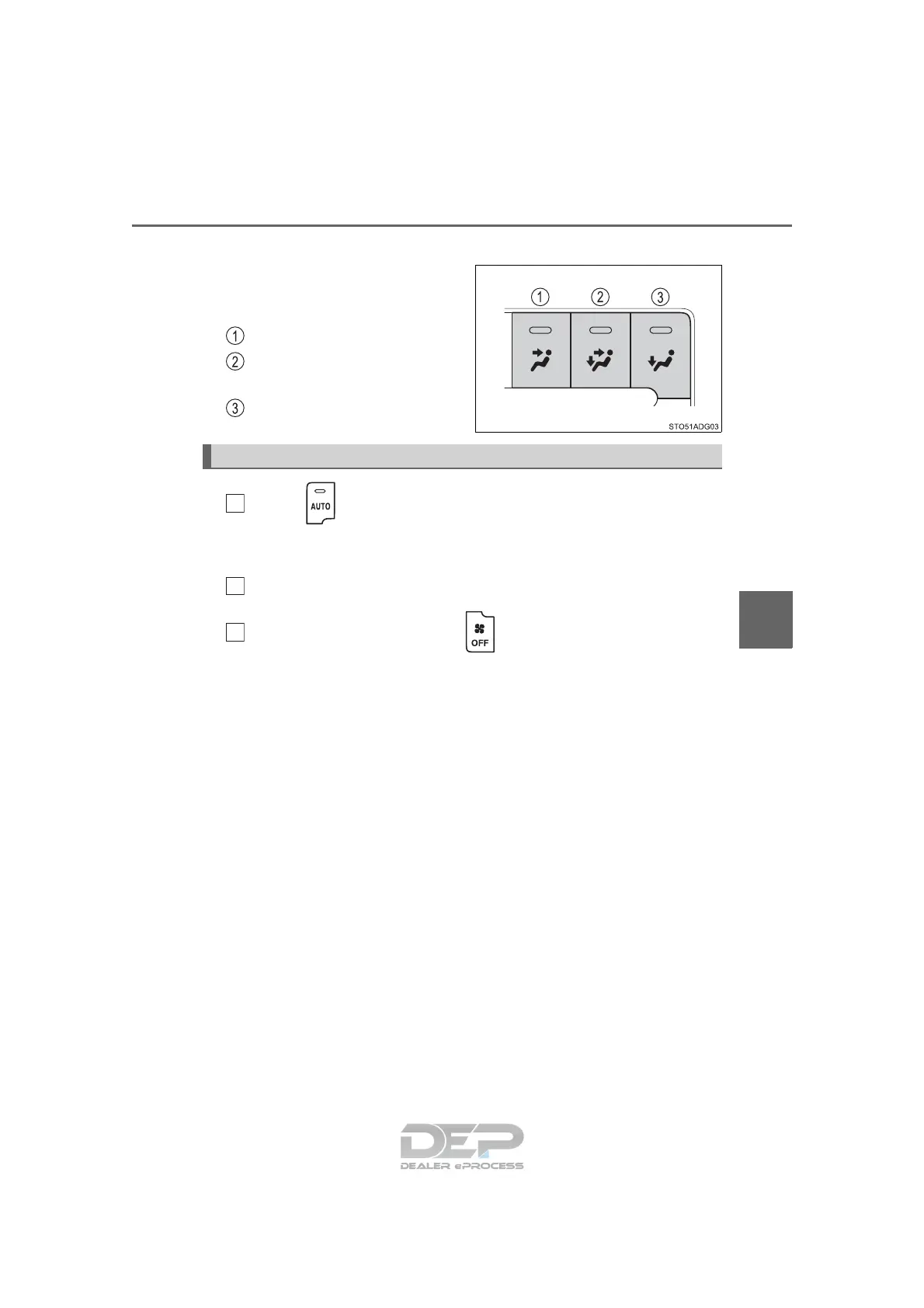
Change the airflow mode
To change the airflow mode,
press the button.
The indicator comes on.
Air flows to the upper body.
Air flows to the upper body
and feet.
Air flows to the feet.
Press .
The air conditioning system begins to operate. Air outlets and fan speed
are automatically adjusted according to the temperature setting.
Adjust the temperature setting.
To stop the operation, press .
Using automatic mode
1
2
3





 To Next Page