EasyManua.ls Logo

TP-Link ER8411 - User Manual

TP-Link ER8411
2 pages
Print Icon
To Next Page IconTo Next Page
Loading...
Installation Guide
Connection
Conguration
Modem
Internet
© 2022 TP-Link 7106509681 REV1.0.0
Omada VPN Router with 10G Ports
Option 1: Standalone Mode
Open a web browser and type the default management address
192.168.0.1 in the address eld of the browser, then press the Enter key.
2.
Connect a computer to a LAN port of the router with an RJ45 cable
properly. If your computer is congured with a xed IP, change it to Obtain
an IP address automatically.
1.
For detailed congurations, refer to the User Guide of the router. The guide
can be found on the download center of our ocial website:
https://www.tp-link.com/support/download/.
Create a username and a password for subsequent login attempts and
for security.
3.
Use the username and password set above to log in to the webpage.4.
After a successful login, you can congure the function by clicking the
setup menu on the left side of the screen.
5.
The router supports two conguration options:
Standalone Mode: Congure and manage the router singly.
Controller Mode: Congure and manage the network devices centrally. It is recommended in the large-scale network, which consists of mass devices such as
access points, switches, and gateways.
Router
PC
In Standalone Mode, use a computer to congure and manage the router.
Note: When the router is managed by a controller, congurations of the router will be overridden by the controller.
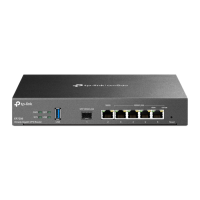
ER8411
AC Power Cord
LED Indication
PWR1*
On: The router is powered by PWR1.
O: PWR1 is disconnected or it works improperly, or the router is powered o.
PWR2
Green On: The router is powered by PWR2.
Yellow On** : PWR2 are connected, but the router is powered by PWR1.*
O: PWR2 is disconnected or it works improperly, or the router is powered o.
SYS
Flashing: The router works properly.
On or O : The router works improperly.
Quick Flashing: The router is being reset.
FAN
Green On: The fan works properly.
Yellow On: The fan works improperly.
USB
For USB Modem:
Green Flashing: A modem is connected and it is initializing.
Green On: The modem is loaded.
O: No modem is inserted, or it is corrupted or incompatible.
For USB Storage:
Green On: A USB storage device is inserted and identied.
O: No USB storage device is inserted, or it is corrupted or incompatible.
SFP+ (Port 1-2)
Green On: Running at 10 Gbps, but no activity.
Green Flashing: Running at 10 Gbps and transmitting or receiving data.
Yellow On: Running at 1000 Mbps, but no activity.
Yellow Flashing: Running at 1000 Mbps and transmitting or receiving data.
O: No device is linked to the corresponding port.
On: Running at 1000 Mbps, but no activity.
Flashing: Running at 1000 Mbps and transmitting or receiving data.
O: No device is linked to the corresponding port.
RJ45 (Port 4-11)
Green On: Running at 1000 Mbps, but no activity.
Green Flashing: Running at 1000 Mbps and transmitting or receiving data.
Yellow On: Running at 100/10 Mbps, but no activity.
Yellow Flashing: Running at 100/10 Mbps and transmitting or receiving data.
O: No device is linked to the corresponding port.
*PWR1 is the primary power supply and it takes priority over PWR2.
**When both PWR1 and PWR2 work properly and the router is powered by PWR1, it takes 10-20
seconds for the LED PWR2 (yellow) to go out.
SFP (Port 3)
Question and Answer IconNeed help?

Do you have a question about the TP-Link ER8411 and is the answer not in the manual?

Summary

LED Indications

Connection

Configuration

Standalone Mode

Configure and manage the router singly.

Controller Mode

Configure and manage the network devices centrally.

Omada Hardware Controller Setup

Omada Software Controller Setup

Community and Support

Safety Information

Declarations of Conformity

Overview

The TP-Link Omada VPN Router with 10G Ports, model ER8411, is a robust networking device designed for businesses requiring secure, high-speed, and centrally manageable network infrastructure. This router serves as a gateway, offering advanced VPN capabilities and high-bandwidth connectivity through its 10G SFP+ ports, making it suitable for environments with demanding data transfer needs.

Function Description

The primary function of the ER8411 is to provide secure and efficient network routing, acting as the central point for internet access and internal network communication. Its VPN capabilities allow for secure remote access and site-to-site connections, crucial for businesses with distributed offices or remote workers. The router supports multiple WAN connections, enabling load balancing and failover for enhanced internet reliability and bandwidth. With its 10G SFP+ ports, the ER8411 is capable of handling high-speed data traffic, making it ideal for connecting to high-bandwidth switches or servers.

The device can operate in two distinct configuration modes: Standalone Mode and Controller Mode. In Standalone Mode, the router is configured and managed individually, suitable for smaller networks or specific deployments where centralized management is not required. This mode allows direct access to the router's web-based management interface for setting up network parameters, VPNs, and security policies.

In Controller Mode, the ER8411 integrates into the Omada SDN (Software Defined Networking) platform, allowing for centralized management of multiple network devices, including access points, switches, and gateways. This mode is particularly beneficial for large-scale networks, simplifying configuration, monitoring, and troubleshooting across the entire infrastructure. The Omada SDN platform provides a unified interface for managing all connected devices, streamlining network operations and enhancing overall control.

Usage Features

The ER8411 offers a comprehensive set of features designed to meet the diverse needs of modern business networks.

Connectivity and Performance:

  • 10G SFP+ Ports: Equipped with two 10G SFP+ ports, the router supports high-speed fiber optic connections, ensuring rapid data transfer rates for bandwidth-intensive applications and connections to high-performance network segments.
  • Gigabit SFP Port: An additional Gigabit SFP port provides flexibility for connecting to other fiber-based devices at Gigabit speeds.
  • RJ45 Ports: The router includes multiple RJ45 Ethernet ports (Gigabit and 100/10 Mbps) for connecting various wired devices, offering broad compatibility with existing network equipment.
  • Multi-WAN Load Balancing and Failover: The ability to utilize multiple WAN connections allows for intelligent distribution of internet traffic across different links, optimizing bandwidth usage. In case one WAN link fails, traffic is automatically rerouted to active links, ensuring continuous internet connectivity.
  • USB Port: A USB port supports either a USB modem for backup internet connectivity or a USB storage device for network-attached storage (NAS) functionalities, providing additional flexibility and resilience.

Security Features:

  • VPN Support: The router supports various VPN protocols, including IPsec, OpenVPN, PPTP, and L2TP, enabling secure remote access for employees and secure site-to-site connections between different office locations.
  • Firewall: An integrated firewall provides robust protection against unauthorized access and common network threats, allowing administrators to define rules for traffic filtering and access control.
  • Access Control: Granular access control policies can be implemented to restrict network access based on user, device, or time, enhancing network security.

Management and Configuration:

  • Web-based UI: For Standalone Mode, the router features an intuitive web-based user interface, accessible via a standard web browser, for easy configuration and monitoring.
  • Omada SDN Integration: In Controller Mode, the ER8411 seamlessly integrates with the Omada SDN platform, which can be managed via an Omada Hardware Controller (OC200/OC300) or Omada Software Controller running on a host PC. This provides a centralized dashboard for managing the entire network.
  • Omada App: The Omada App allows for convenient management of the controller from mobile devices, enabling administrators to monitor network status, configure settings, and receive alerts from anywhere.
  • Quick Setup Wizard: Both Standalone and Controller modes feature quick setup wizards that guide users through initial configuration steps, simplifying the deployment process.

Maintenance Features

The ER8411 is designed with ease of maintenance and operational reliability in mind, incorporating several features to ensure smooth and continuous network operation.

LED Indicators:

  • Comprehensive LED Panel: The router is equipped with a detailed LED panel that provides real-time status updates for various components, including power (PWR1, PWR2), system (SYS), fan (FAN), USB, SFP+, SFP, and RJ45 ports.
  • Diagnostic Information: These LEDs offer quick visual diagnostics. For example, the PWR1 and PWR2 LEDs indicate the status of the power supplies, while the SYS LED shows if the system is operating normally or undergoing a reset. Port LEDs indicate connection speed (10G, 1000 Mbps, 100/10 Mbps) and activity (transmitting/receiving data), allowing administrators to quickly identify connectivity issues.
  • Fan Status: The FAN LED indicates whether the cooling fan is operating correctly, helping to prevent overheating and ensure device longevity.
  • USB Status: The USB LED shows the status of connected USB modems or storage devices, indicating if they are recognized and functioning.

Firmware Updates and Support:

  • Regular Firmware Updates: TP-Link typically provides regular firmware updates to enhance features, improve performance, and address security vulnerabilities. These updates can be downloaded from the official TP-Link support website.
  • User Guides and Documentation: Detailed user guides and documentation are available on the TP-Link download center, providing comprehensive instructions for configuration, troubleshooting, and advanced features.
  • Online Community and Technical Support: TP-Link offers an online community forum where users can ask questions, find answers, and interact with other users and engineers. Additionally, technical support is available through their official website, providing assistance for any issues encountered.

Redundancy and Reliability:

  • Dual Power Supplies (PWR1, PWR2): The ER8411 features dual power inputs, with PWR1 acting as the primary supply. This redundancy ensures that the router remains operational even if one power source fails, significantly enhancing network uptime. The PWR2 LED indicates the status of the secondary power supply, providing clear visibility into the power redundancy.
  • Fan Cooling: The integrated fan system helps maintain optimal operating temperatures, preventing performance degradation and extending the lifespan of the device, especially under heavy load.

Reset Functionality:

  • Reset Button: A physical reset button allows administrators to restore the router to its factory default settings, which can be useful for troubleshooting or reconfiguring the device from scratch. The SYS LED provides visual feedback during the reset process.

Cloud Management (for Controller Mode):

  • Omada Cloud Portal: For devices managed in Controller Mode, the Omada Cloud Portal enables remote access and management of the controller from any location with internet access. This simplifies maintenance tasks for geographically dispersed networks and allows for proactive monitoring and configuration adjustments without needing to be on-site.
  • Cloud Access: The Cloud Access feature, when enabled on the controller, allows for secure remote management via the Omada Cloud Portal, with the Cloud LED indicating its status.

In summary, the TP-Link Omada VPN Router with 10G Ports (ER8411) is a powerful and versatile networking solution designed for demanding business environments. Its high-speed connectivity, robust security features, flexible management options (Standalone or Controller Mode), and comprehensive maintenance tools make it an excellent choice for building a reliable, secure, and scalable network infrastructure.

TP-Link ER8411 Specifications

General IconGeneral
ModelER8411
CategoryNetwork Router
Switching Capacity120 Gbps
Firewall Throughput10 Gbps
QoSYes
IPv6 SupportYes
Dimensions440 x 220 x 44 mm
Weight3.5 kg
MountingRack Mountable
Power Supply100-240V AC, 50/60Hz
Operating Temperature0°C to 40°C
Storage Temperature-40°C to 70°C
Operating Humidity10% to 90% non-condensing
Storage Humidity5% to 90% non-condensing
Routing Performance11.3 Mpps
VPN SupportIPSec, L2TP, PPTP, OpenVPN
Security FeaturesSPI Firewall, DoS Protection
ManagementWeb-based, CLI, SNMP

Related product manuals