St e p two : F ix t he HM D R ecei v er
①
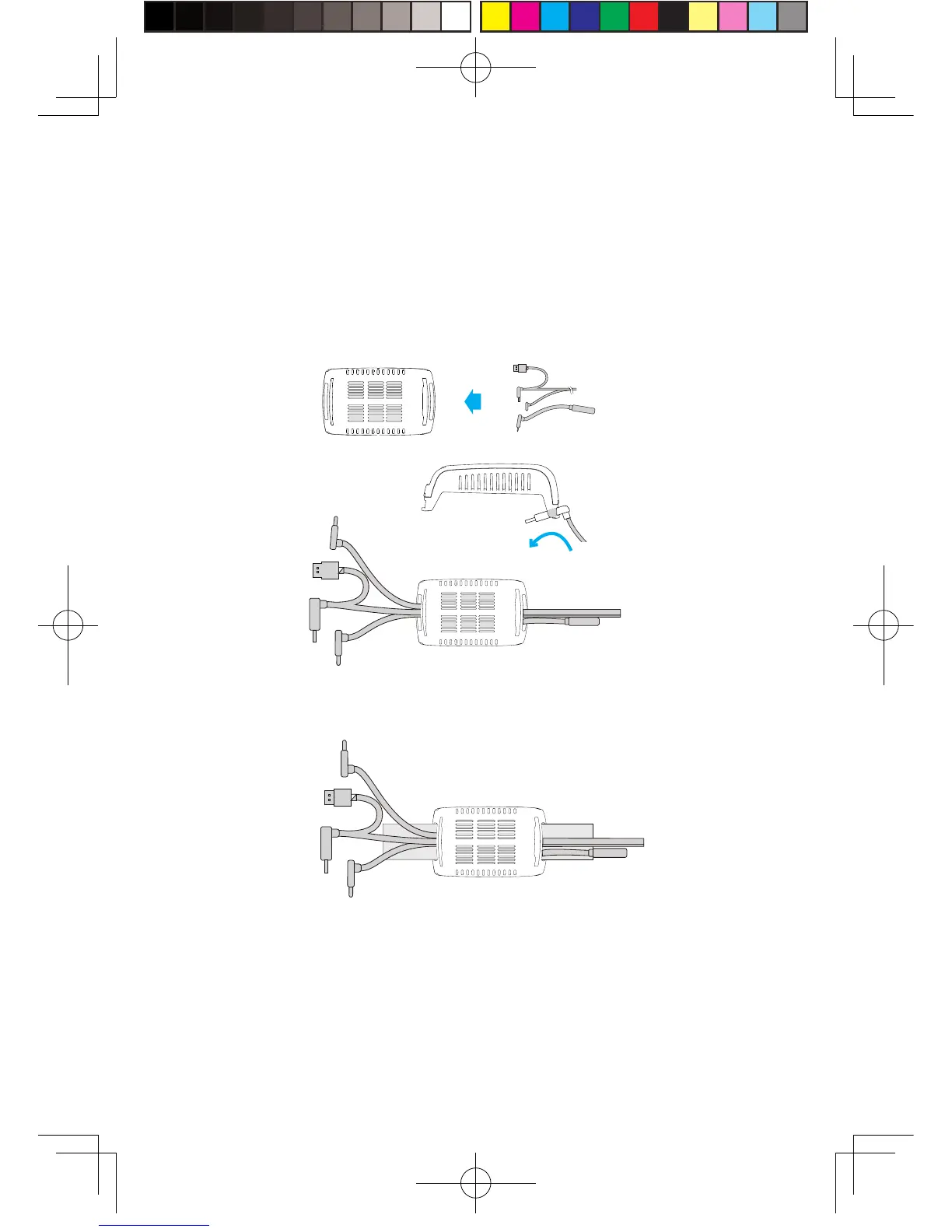
As show n in t he figure, t hread i n all t hree i n t erf aces ( 1 -a, 1 -b
and 1 -c) of t he d e dicate d l ong dis t ance connection c a ble and
audio cable from the H MD recei ver with TPCAS T s ide and out of
the o ther side .
No t e : T he c urve d USB plug t hroug h t he t hread hol e, need to
forcibly f i n g er a l ong t he r igh t direction t o pass t hroug h .
Step three: Cable connection
①
As shown in the figure, thread in all three interfaces (1-a, 1-b and 1-c)
of the dedicated long distance connection cable and audio cable from the
HMD receiver with TPCAST side and out of the other side.
Note : The curved USB plug through the thread hole, need to forcibly
finger along the right direction to pass through.
②
Thread the
sepa rate d st ra p t hroug h t he H MD c able p ort s i n
turn and rout ed und er t he de dicat e d l ong connection cable, then
the rec ei v er end will be fix e d on t he H M D s t ra p .
7


 To Next Page
 Loading...