6
5.1.3. User lnterface
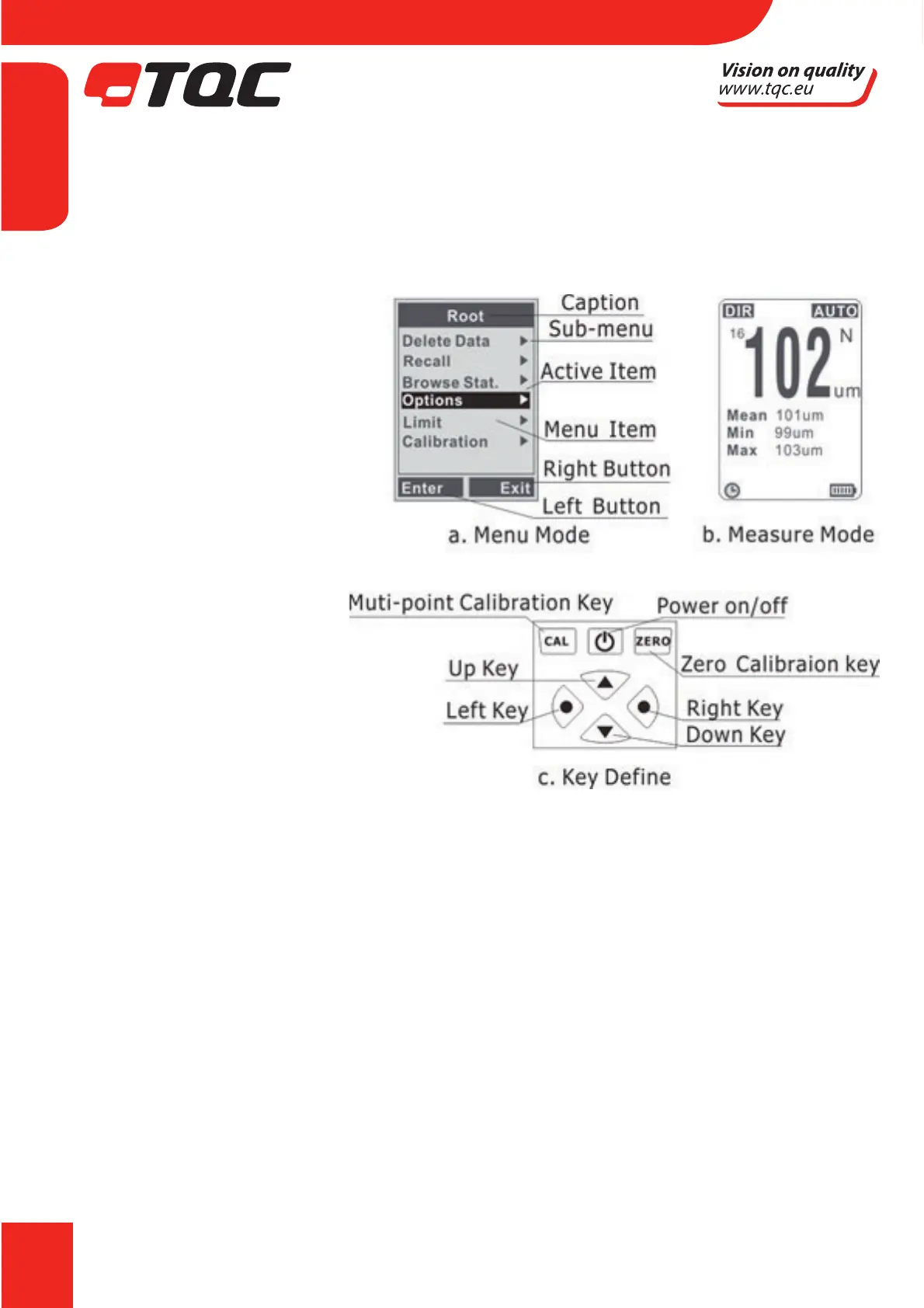
The instrument has a standard user interface and is easy to use;
Left Key
a. To enter the menu mode
from measuring mode
b. Left button operates in menu
mode
(“Conrm”, “Select”, “Delete”)
Right Key
a. Right button operates in
menu mode (“Cancel”, “Back”,
“Exit”)
b. Switching the backlight on/
o in measuring mode
Up Key
a. Move up or roll up
b. Increasing
Down Key
a. Move down or roll down
b. Decreasing
Zero Calibration Key Left
a. Press and hold to perform
zero calibration in calibration mode
b. Press once to delete current readings in measuring mode
c. Press once to go back to measuring mode while in menu mode
d. Press and hold when instrument is switched on to make a system reset. This will restore
factory settings
Calibration Key
a. Press when in calibration mode to go back to measuring mode
5.1.4. Measuring Mode (Single or Continuous)
t 4JOHMFNFBTVSJOHNPEF1MBDFUIFQSPCFPOUIFTBNQMFWFSUJDBMMZBGUFSPOFCFFQSBJTFJU
again. Meanwhile, readings will be shown and statistics will be upgraded and shown.
t $POUJOVPVTNFBTVSJOHNPEF1MBDFUIFQSPCFPOUIFTBNQMFBOEEPOUSBJTFUIFQSPCFUIF
measurement will be continuously in a cycle.
t .FUIPEUPTXJUDIUPNFBTVSJOHNPEF
a. Press “Left Key” once to enter into menu mode (“Root” directory)
EN


 To Next Page