USER’S MANUAL TRACER TRL-A4 LAMINATOR
9
5. Where to use the laminator
It is recommended to use the machine in normal o ce circumstances, temperature from 20-25
0
C in
room or o ce can ensure better lamination results.
KNOWING ABOUT YOUR LAMINATOR
ENHANCED LAMINATION
The TRL-A4 is incorporated with an enhanced lamination technology, this improves the lamination
quality to a higher level.
IMPORTANT!
Do not touch the top of the machine during use. The top of the machine gets very hot during use and
takes approx. 15 minutes to cool down after use. Do not place items on top of the machine at any time.
LAMINATING CAPACITY:
The TRL-A4 is a personal laminator designed for hot and cold lamination. And the max. laminating thick-
ness is: 160(2x80) micron - 250(2x125) micron.
HOW TO LOAD A LAMINATING POUCH:
The laminating pouch is sealed along one side. Open the pouch and place the paper to be laminated
centrally inside the pouch as close to the sealed edge as possible. Ensure there is an equal border all ro-
und the paper (eg: A4 paper should have a 3mm border). The sealed edge (not the open edges) is placed
into the entry slot to start the lamination process.
• ABS Jam release
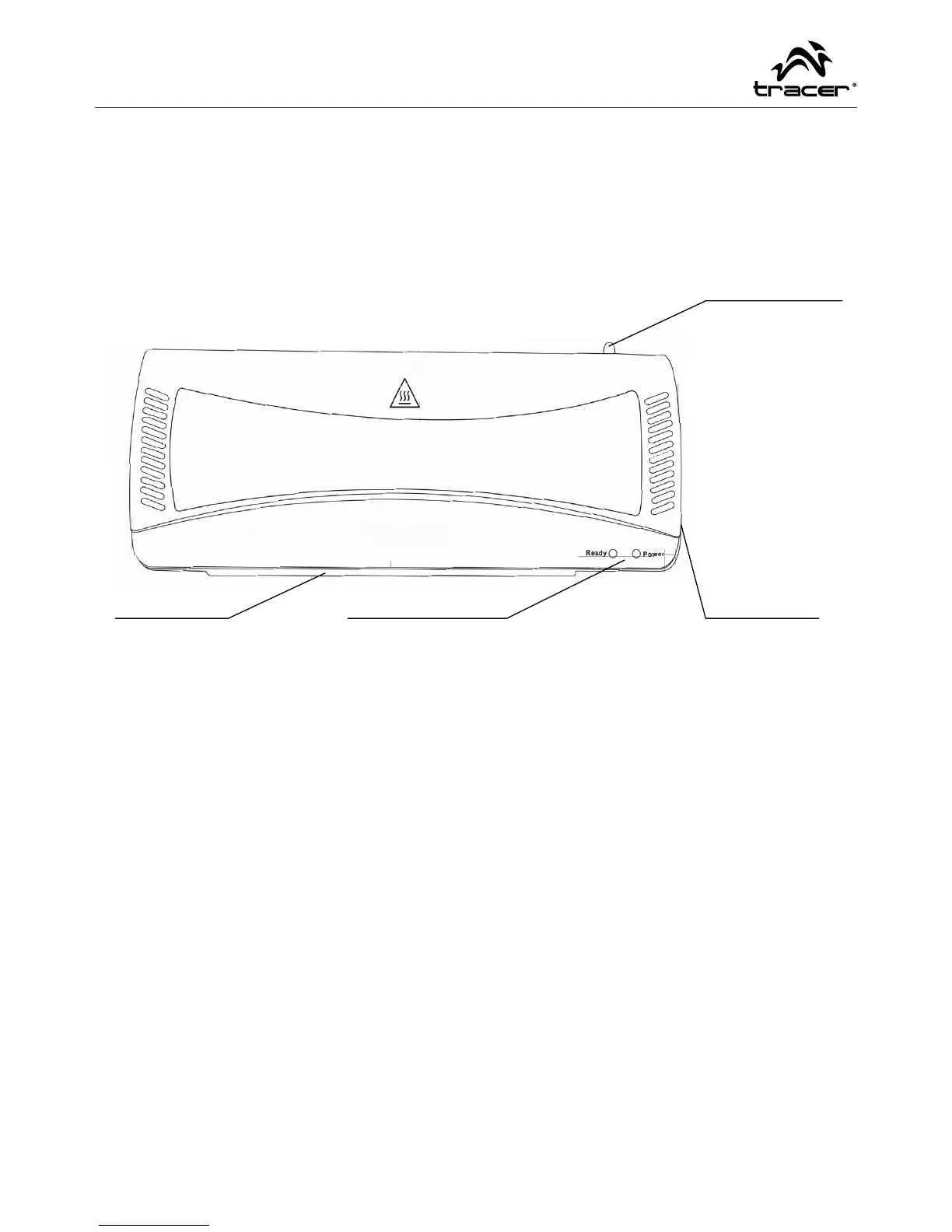
• Pouch entry • Ready/Power LED
• Cold/Off/
Hot switch



 To Next Page