2. If audio distorts when backlight comes on, send unit in for repair.
3. If audio is distorted all the time, send unit in for repair.
Antenna/s loose or too tight
1. DO NOT try to tighten or adjust the front antennas, this can
damage the circuit board and will void your warranty.
2. Rear antennas can be adjusted with a screwdriver (screws are
located under battery retaining cover.) Antennas should be
snug but move smoothly in and out. Note: these are steel
screws in an aluminum body, so please be careful not to strip
the threads. If antennas cannot be adjusted for smooth oper-
ation, send unit in for repair. DO NOT oil or try to lubricate
the antennas, this can possibly damage the internal electron-
ics and void your warranty.
Direction Accuracy
1. Insure antennas are fully extended.
2. Insure the back/reflecting antennas are not resting on forearm
or any part of you body.
3. If rear antennas are loose, adjust with a screwdriver for
smooth but snug operation (see above for explanation).
4. Check for corrosion on antenna rotating points/hinges. If
present, send unit in for service.
5. If none of the above causes are apparent and the problem
persists send unit in for service.
Reduced reception
1. If low battery indicator is on, change batteries in receiver.
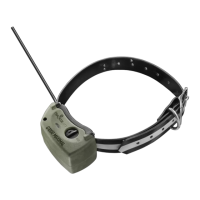
2. Replace battery/s in transmitter (collar).
26
NO
TE:
DO NO
T put any metal or metallic tape or stickers on
the antennas.



 To Next Page