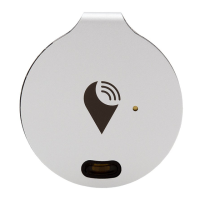
TrackR bravo devices are like little memory butlers for all of your stu. While
you’re busy living life, your TrackR bravo devices are busy remembering where all
of your valuable belongings are so you don’t have to. Here’s how we do it:
Item Ringer
TrackR casts a Bluetooth signal up to a 100 foot radius. To start searching for an
item, select the item from the app home screen and tap the green speaker
button. Your TrackR device will sound a loud alarm, and the distance indicator
will tell you when you’re getting close.
Phone Finder
Every 3.5 seconds a phone is lost in America. If you lose your phone, but have
your TrackR, simply press the button on your TrackR device to ring your phone,
even if it’s on silent.
Separation Alerts
For every device you track, you can choose to set up a device or phone separa-
tion alert. These custom alerts will prompt your TrackR device to beep or your
phone to ring whenever the Bluetooth connection breaks.
Crowd GPS
If an item goes missing, the TrackR app records its last known location on a map.
When another user of the TrackR app comes within range of your lost item, you
will receive a GPS update of where your item is.
Family Sharing
Family Sharing allows TrackR users to share items with anyone by creating a
group - family, roommates, etc - then any member of the group can share a
TrackR tagged item. A family could share the remote and car keys, neighbors
could share pets - you name it.
MANAGE ALL YOUR VALUABLES


 To Next Page
 Loading...