EasyManua.ls Logo

Tractive GPS Dog LTE - User Manual

Tractive GPS Dog LTE
9 pages
Go to English
Print Icon
To Next Page IconTo Next Page
Loading...
2h
1
Quick Start Guide
FI
Huom.: verkkoversio pikaohjeesta on osoitteessa
tractive.com/quick-start.
Lataa
Tractive GPS -laite
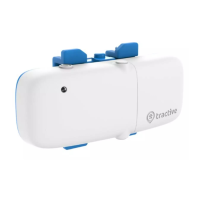
Liitä laitteen magneettinen akkupääty
toimitukseen sisältyvään laturiin. Laturin
merkkivalo muuttuu punaiseksi, kun
akku latautuu.
Kun akku on ladattu täyteen, punainen valo
sammuu. Irrota seurantalaite latauskaapelista
vetämällä kevyesti. Lataa laitetta vähintään
2 tuntia ennen ensimmäistä käyttöä.
Seurantalaite käynnistyy automaattisesti
latauksen jälkeen.
Huom.: älä käytä laitteen lataamiseen pikalaturia,
sillä se voi vahingoittaa akkua.
Question and Answer IconNeed help?

Do you have a question about the Tractive GPS Dog LTE and is the answer not in the manual?

Summary

Charge your Tractive GPS tracker

Charging Instructions and Warnings

Details on attaching, LED indicators, charging duration, removal, and charger warnings.

Turn on your Tractive GPS tracker

Power Button and LED Status

Instructions for turning the tracker on/off and checking LED status.

Download the Tractive GPS app

App Store and Website Options

Guidance on downloading the app from stores or visiting the website.

Activate your Tractive GPS tracker

Activation via App or Website

Steps for activating the tracker using the app or website and locating the Tracker ID.

Attach your Tractive GPS tracker to your pets collar

Collar Attachment for Narrow Collars (≤ 1.5 cm)

Instructions for attaching the tracker to collars 1.5 cm wide or less.

Collar Attachment for Wider Collars (≥ 1.6 cm)

Instructions for attaching the tracker to collars 1.6 cm wide or more.

Tractive GPS Dog LTE Specifications

General IconGeneral
Battery LifeUp to 7 days
SubscriptionRequired
GPS TechnologyGPS, GLONASS
Real-time TrackingYes
Virtual FenceYes
Activity MonitoringYes
CompatibilityiOS, Android

Related product manuals