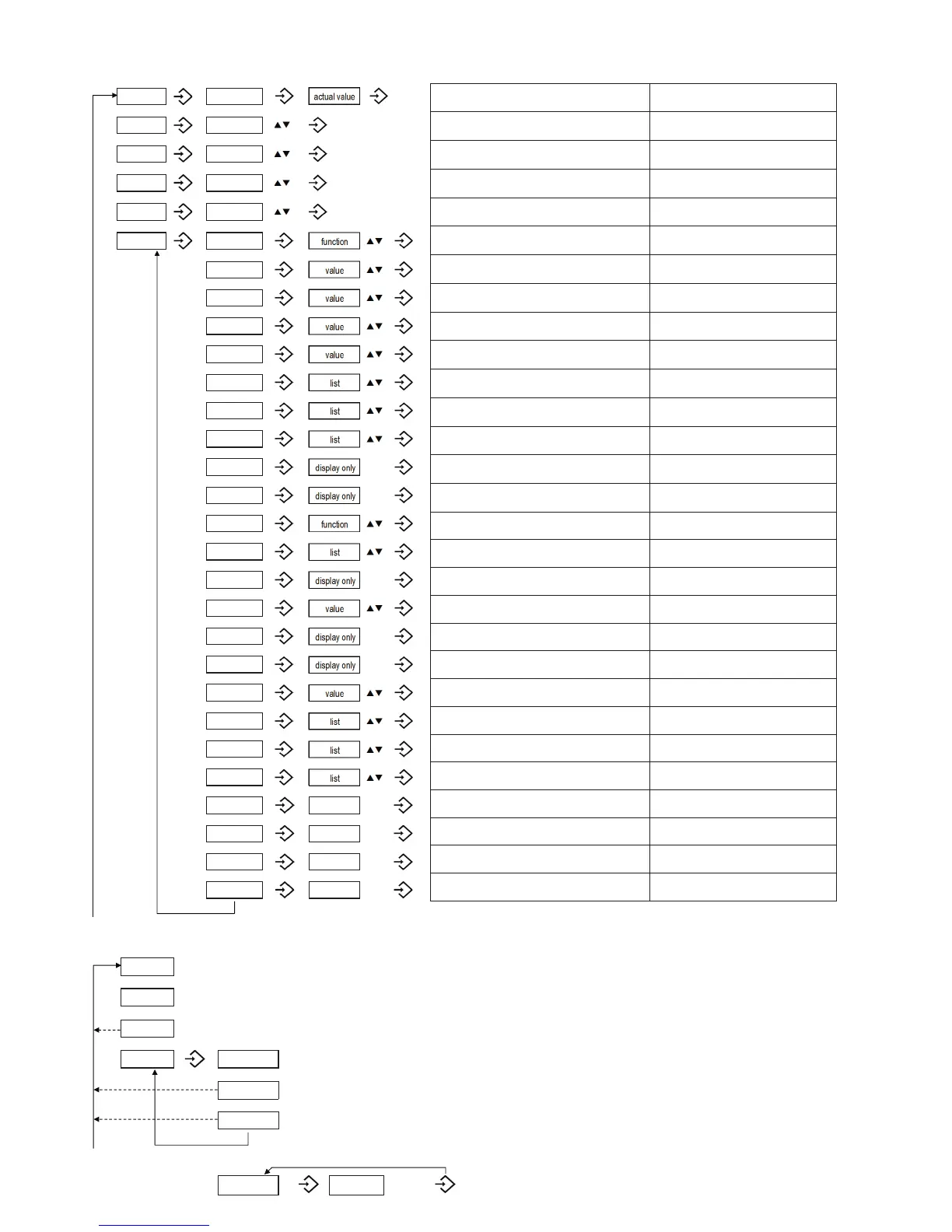
Operating menu
Description Value range
Switch point SP1 (Hysteresis) or Window high FH1
SP1 > rP1, FH1 > FL1
Hysteresis ≥ 1 % FS
Reset point rP1 (Hysteresis) or Window low FL1
rP1 < SP1, FL1 < FH1
Hysteresis ≥ 1 % FS
Switch point SP2 (Hysteresis) or Window high FH2
SP2 > rP2, FH2 > FL2
Hysteresis ≥ 1 % FS
Reset point rP2 (Hysteresis) or Window low FL2
rP2< SP2, FL2 < FH2
Hysteresis ≥ 1 % FS
Reset to factory settings
Switching delay time for SP1/FH1 0.01 ... 99.99s
Switching delay time for rP1/FL1 0.01 ... 99.99s
Switching delay time for SP2/FH2 0.01 ... 99.99s
Switching delay time for rP2/FL2 0.01 ... 99.99s
Function switching output 1
Hysteresis NO (Hno), Hysteresis NC (Hnc)
Window NO (Fno), Window NC (Fnc)
Function switching output 2
Hysteresis NO (Hno), Hysteresis NC (Hnc)
Window NO (Fno), Window NC (Fnc)
Pressure unit bar/MPa/kPa/psi/m WC/mm WC
Lowest measured pressure
Highest measured pressure
Reset highest and lowest pressure value
Analogue output type I, U, off
Pressure zero point
Pressure end point 50 % ... 100 % FS
Analogue output zero point
Analogue output end point
Damping analogue output
rise time 10 ... 90 % nominal pressure
0.01 ... 3.00 s
Display rotate no, yes (180°)
Display mode
actual, highest, lowest, off,
act. – 1 decimal, act. – 2 dec., act. – 3 dec.
Display update rate 1, 2, 5, 20 Hz
Diagnostic mode
Sampling time for logger 0.1 ... 999.9 s, off (0)
Access code 4-digit code
Factory use
By pressing ▲+▼ simultaneously
the menu will return to the base dis-
play or automatically after ca. 60 s
without operation.
pw* When performing a parameter change by pressing
▲ or ▼ and if
an access code has been defined, it has to be entered digit by digit.



 To Previous Page
 Loading...