EasyManua.ls Logo

Trane SmartCharge BAYCAKT002AA - User Manual

Trane SmartCharge BAYCAKT002AA
2 pages
Print Icon
To Next Page IconTo Next Page
Loading...
IMPORTANT — This tool was designed to assist in properly charging a Link™ equipped Air Conditioning or Heat
Pump system with refrigerant by interfacing with a microprocessor that calculates the system subcooling.
NOTE: The installer must apply 24vac to the Red wire in the Outdoor units low voltage harness.
Specifications: R-410 A
24 Volt AC
Installer’s Guide
CAUTION
!
DO NOT CONNECT BACKWARDS.
CAUTION
!
HOSES WILL CONTAIN REFRIGERANT THAT
WILL BE UNDER PRESSURE.
NOTE: Device is not intended to charge without at least 50 PSIG of refrigerant pressure or temperatures below
65°F. To be used in cooling mode only.
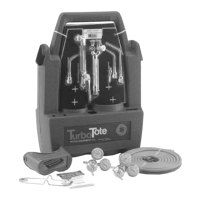
BAYCAKT002AA SmartCharge Tool
18-HH37D1-1B-EN
Figure 1: SmartCharge Tool
Installation Instructions:
Refer to Figure 2 for the installation of
SmartCharge Tool.
1. Attach a refrigerant hose from a refrigerant
bottle to the inlet side of the SmartCharge
tool.
2. Open refrigerant bottle to pressurize inlet hose.
Purge hose by loosening inlet hose slightly at
SmartCharge inlet connection. Tighten when
purge is complete.
3. Attach a refrigerant hose from the
SmartCharge tool outlet to the Vapor line
service port. Unscrew refrigerant hose slightly
at the SmartCharge outlet connection to
purge outlet hose. Tighten when purge is
complete.
4. Connect the interface cable from the
SmartCharge tool to the IVSC at terminals T1
& T2 “Charge Solenoid” location.
5. Open the Diagnostics Mobile app and connect
to the system. Choose “Test Modes”. Select
SmartCharge from the top banner.
6. Diagnostics Mobile app will show a status.
7. When the SmartCharge procedure is
completed, close off refrigerant cylinder and
carefully disconnect hoses.
Question and Answer IconNeed help?

Do you have a question about the Trane SmartCharge BAYCAKT002AA and is the answer not in the manual?

Overview

The BAYCAKT002AA SmartCharge™ Tool is an essential device designed to assist in the precise charging of Link™-equipped Air Conditioning or Heat Pump systems with refrigerant. Its primary function is to interface with a microprocessor that calculates the system's subcooling, ensuring optimal refrigerant levels and system performance. This tool is specifically engineered for use with R-410A refrigerant and operates on a 24 Volt AC power supply.

Function Description:

The SmartCharge™ Tool acts as an intermediary between a refrigerant bottle and the system's vapor line service port. It facilitates the controlled flow of refrigerant into the system while providing real-time data to a connected Diagnostics Mobile app. The tool's core functionality revolves around its ability to work in conjunction with the system's microprocessor to determine the correct subcooling, thereby preventing overcharging or undercharging, which can lead to inefficiencies or damage to the HVAC system. It is designed to be used exclusively in cooling mode and requires a minimum refrigerant pressure of 50 PSIG or temperatures above 65°F to operate effectively. The installer must also ensure that 24VAC is supplied to the red wire in the outdoor unit's low voltage harness for the tool to function.

Important Technical Specifications:

  • Refrigerant Compatibility: R-410A
  • Power Supply: 24 Volt AC
  • Minimum Operating Conditions: 50 PSIG refrigerant pressure or temperatures above 65°F.
  • Operating Mode: Cooling mode only.
  • Connectivity: Interfaces with the IVSC (Integrated Variable Speed Control) at terminals T1 & T2 "Charge Solenoid" location via an interface cable. Communicates with the Diagnostics Mobile app for status and control.

Usage Features:

The SmartCharge™ Tool is designed for straightforward installation and operation, guided by a series of steps to ensure accurate charging:

  1. Refrigerant Bottle Connection: A refrigerant hose is connected from the refrigerant bottle to the inlet side of the SmartCharge™ tool.
  2. Inlet Hose Purging: After opening the refrigerant bottle to pressurize the inlet hose, the hose is purged by slightly loosening the inlet connection at the SmartCharge™ tool, then tightened once purging is complete. This step removes air from the hose, preventing contamination of the system.
  3. System Connection and Outlet Hose Purging: A second refrigerant hose connects the SmartCharge™ tool outlet to the system's Vapor line service port. Similar to the inlet hose, the outlet hose is purged by slightly loosening its connection at the SmartCharge™ tool outlet, then tightened.
  4. Electrical Interface: The tool's interface cable is connected to the IVSC at the "Charge Solenoid" terminals (T1 & T2). This connection allows the tool to communicate with the system's control board.
  5. Mobile App Integration: The installer uses the Diagnostics Mobile app, connecting to the system and navigating to "Test Modes," then selecting "SmartCharge™" from the top banner. The app provides real-time status updates throughout the charging procedure.
  6. Automated Charging Procedure: The tool, in conjunction with the system's microprocessor and the mobile app, manages the refrigerant flow to achieve the correct subcooling. The app displays the status, indicating when the procedure is completed.
  7. Safe Disconnection: Once the SmartCharge™ procedure is finished, the refrigerant cylinder is closed off, and hoses are carefully disconnected, ensuring safety and preventing refrigerant release.

Maintenance Features:

While the manual does not explicitly detail routine maintenance for the SmartCharge™ Tool itself, its design inherently promotes system health and longevity through accurate refrigerant charging. Proper charging prevents issues such as:

  • Compressor Damage: Incorrect refrigerant levels can lead to compressor overheating or slugging, significantly reducing its lifespan.
  • Reduced Efficiency: Both undercharging and overcharging can decrease the system's energy efficiency, leading to higher operating costs.
  • System Malfunctions: Improper refrigerant levels can cause various system components to operate outside their design parameters, leading to breakdowns.

The tool's robust construction and clear operational guidelines contribute to its reliability. The "CAUTION" warnings regarding connecting backwards and the presence of pressurized refrigerant emphasize the importance of following instructions to ensure safe operation and prevent damage to the tool or injury to the user. The "DO NOT CONNECT BACKWARDS" warning highlights a critical safety and operational instruction, as incorrect wiring could damage the device or the system. The warning about "HOSES WILL CONTAIN REFRIGERANT THAT WILL BE UNDER PRESSURE" serves as a reminder for installers to handle connections and disconnections with care, adhering to standard safety protocols for refrigerant handling.

In summary, the BAYCAKT002AA SmartCharge™ Tool is a specialized, microprocessor-interfaced device that streamlines and optimizes the refrigerant charging process for Link™-equipped HVAC systems. Its precise control, mobile app integration, and clear operational steps ensure accurate subcooling, contributing to the efficiency, reliability, and longevity of the air conditioning or heat pump system.

Trane SmartCharge BAYCAKT002AA Specifications

General IconGeneral
BrandTrane
ModelSmartCharge BAYCAKT002AA
CategoryTools
LanguageEnglish

Related product manuals