EasyManua.ls Logo

Transas T214 - User Manual

Transas T214
115 pages
Print Icon
To Next Page IconTo Next Page
Loading...
© Transas Ltd. April, 2007
TRANSAS
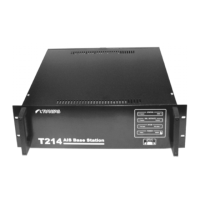
AIS BASE STATION
T214
TECHNICAL MANUAL

Table of Contents

Questions and Answers

  • T
    Tony PorterAug 14, 2025
    What to do if external devices don't interact correctly with Transas T214 Accessories AIS Base Station?
    • C
      Christopher TuckerAug 14, 2025
      If external devices connected to the main unit of your Transas Accessories are not interacting correctly with the AIS Base Station, the interface setup might be incorrect. Check the interface setup in the setup menu. If needed, restore the cable if you have the tools and materials; otherwise, seek professional assistance.
  • R
    Rachel SmithAug 17, 2025
    Why doesn't my Transas Accessories AIS Base Station T214 equipment have navigational data?
    • J
      johnsonbryanAug 17, 2025
      If your Transas Accessories AIS Base Station T214 equipment lacks navigational data, it might be because the navigational data sources are not connected. Ensure that the navigational data sources are properly connected. Also, set up the interfaces in the setup menu. If needed, restore the cable if you have the necessary tools and materials; otherwise, contact a service center.
  • N
    nicolehooverAug 20, 2025
    What to do if Transas T214 Accessories LED doesn't light up and shows 'No link with the main unit'?
    • D
      David ClaytonAug 21, 2025
      If the LED on your Transas Accessories main unit doesn't light up and the Service Display shows a “No link with the main unit” message, it could be due to a missing external power supply or a blown fuse. Check the external power supply connection and connect it if it's disconnected. If the power supply is ok, replace the fuse.
  • J
    Jonathan CarlsonAug 25, 2025
    How to fix VSWR value exceeding limits on Transas T214?
    • A
      Alexander FordAug 25, 2025
      If you receive a diagnostic message about the VSWR value exceeding the permissible limits on your Transas Accessories, it indicates an incorrect connection of the VHF antenna. Check the connection of the VHF antenna and ensure it is correctly connected.
  • C
    Carla HuangAug 27, 2025
    What to do if Transas Accessories displays 'No link' but AIS Base Station operates normally?
    • I
      ilewisAug 28, 2025
      If the Service Display on your Transas Accessories shows a “No link with the main unit” message, but the AIS Base Station equipment operates normally according to external diagnostics, the connection cable might be broken. If you have the tools and materials, attempt to restore the cable. Otherwise, it is recommended to contact the service center.
  • M
    Mackenzie JohnsonAug 31, 2025
    Why is the internal GPS/GLONASS receiver malfunctioning in my Transas Accessories?
    • Y
      yvonnedavisAug 31, 2025
      If you're experiencing malfunction diagnostics with the internal GPS/GLONASS receiver of your Transas Accessories, it might be due to an incorrect connection of the internal GNSS antenna. Check the connection and ensure it is correctly connected. If problems persist, contact the service center.
  • I
    ilopezSep 3, 2025
    What to do if Transas Accessories Power LED is on but main unit doesn't function?
    • S
      Scott MorrisSep 3, 2025
      If the Power ON LED is lit, but the main unit of your Transas Accessories doesn't function, the main unit power supply might have burned off. Contact the service center for assistance.
  • D
    dianegreenSep 7, 2025
    What does 'ROM Error', 'RAM Error', or 'Flash Error' mean on Transas Accessories?
    • S
      Sue ZimmermanSep 7, 2025
      If your Transas Accessories Service Display shows “ROM: Error”, “RAM: Error”, or “Flash: Error” upon power-up, it indicates a central processor assembly failure. Contact the service center for assistance.
  • R
    Roy HicksSep 10, 2025
    What does 'Fatal error' mean on Transas Accessories Service Display?
    • A
      Andrew HerringSep 10, 2025
      If the Service Display on your Transas Accessories shows a “Fatal error:” message followed by diagnostics, it suggests a failure in one of the main unit assemblies. Contact the service center for assistance.

Summary

Precautions

Safety Summary

General safety warnings and precautions for operating and maintaining the equipment.

Technical Specifications

AIS Base Station T214 Main Unit

Provides detailed technical specifications for the main unit's GNSS, transmitter, receivers, and interfaces.

VHF Antenna

Details the mechanical and general specifications for the D1 VHF antenna.

Installation

Grounding

Specifies requirements for proper grounding of the equipment for lightning and static protection.

GNSS Antenna Installation

Covers general requirements and procedures for installing the GNSS antenna for optimal reception.

User Configuration

Setting up of Serial Ports Parameters

Guides on configuring serial port parameters for external devices like terminals.

Setting TCP;IP Parameters

Details the process of configuring TCP/IP settings for network connectivity.

Internal Configuration

Protection from Unauthorised Access

Describes password protection, access level management, and password recovery.

Settings of Base Station Configuration

Details various base station configuration settings using specific sentences like BCF, CBM, and ECB.

AIS Base Station T214 Test Functions

Outlines diagnostic functions for testing serial ports, data sources, and technical information.

Using the AIS Base Station

Operating using Remote Control Software

Describes the installation and use of remote control software for operations, configuration, and diagnostics.

List of Alarms and Troubleshooting

List of Alarms

Provides a categorized list of malfunctions, their indicators, alarm identifiers, and system responses.

Troubleshooting

Offers a guide to identifying and resolving possible faults, their causes, and recommended cures.

Transas T214 Specifications

General IconGeneral
BrandTransas
ModelT214
CategoryAccessories
LanguageEnglish