
 Need help?
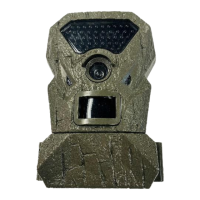
Do you have a question about the TREELINE 1616204 and is the answer not in the manual?
Guide to installing batteries and SD card into the camera, ensuring proper orientation and connection.
Instructions on how to turn the camera on and off, and check battery status for readiness.
Explanation of the camera's ready mode, including display dimming and waking the device.
Overview of the home screen interface, displaying key information like pictures, available space, and battery life.
Steps to adjust the camera's date and time settings using the interface controls.
Instructions on how to switch between still photo and video recording modes.
Guide to adjusting the PIR sensor sensitivity to detect different levels of movement.
Configuration for when the camera takes pictures or videos (Day, Night, 24hr).
Setting the time interval between captured photos or video clips.
Adjusting the image and video resolution quality for captured media.
Setting the duration for recorded video clips.
Choosing the user interface language from available options.
Assigning a custom name to the camera for easier identification.
Restoring camera settings to default values, clearing configurations.
Preparing the SD card for use by erasing all data and folders.
Steps for securely attaching the camera to a tree or post using the included strap.
Guide to viewing images by transferring the SD card to a computer or viewing device.
Details on the 1-year limited warranty against manufacturer defects.
Information regarding compliance with FCC rules for device operation.
 General
| Brand | TREELINE |
|---|---|
| Model | 1616204 |
| Category | Scouting Camera |
| Language | English |

 To Next Page