2023 Domane SL/SLR
11
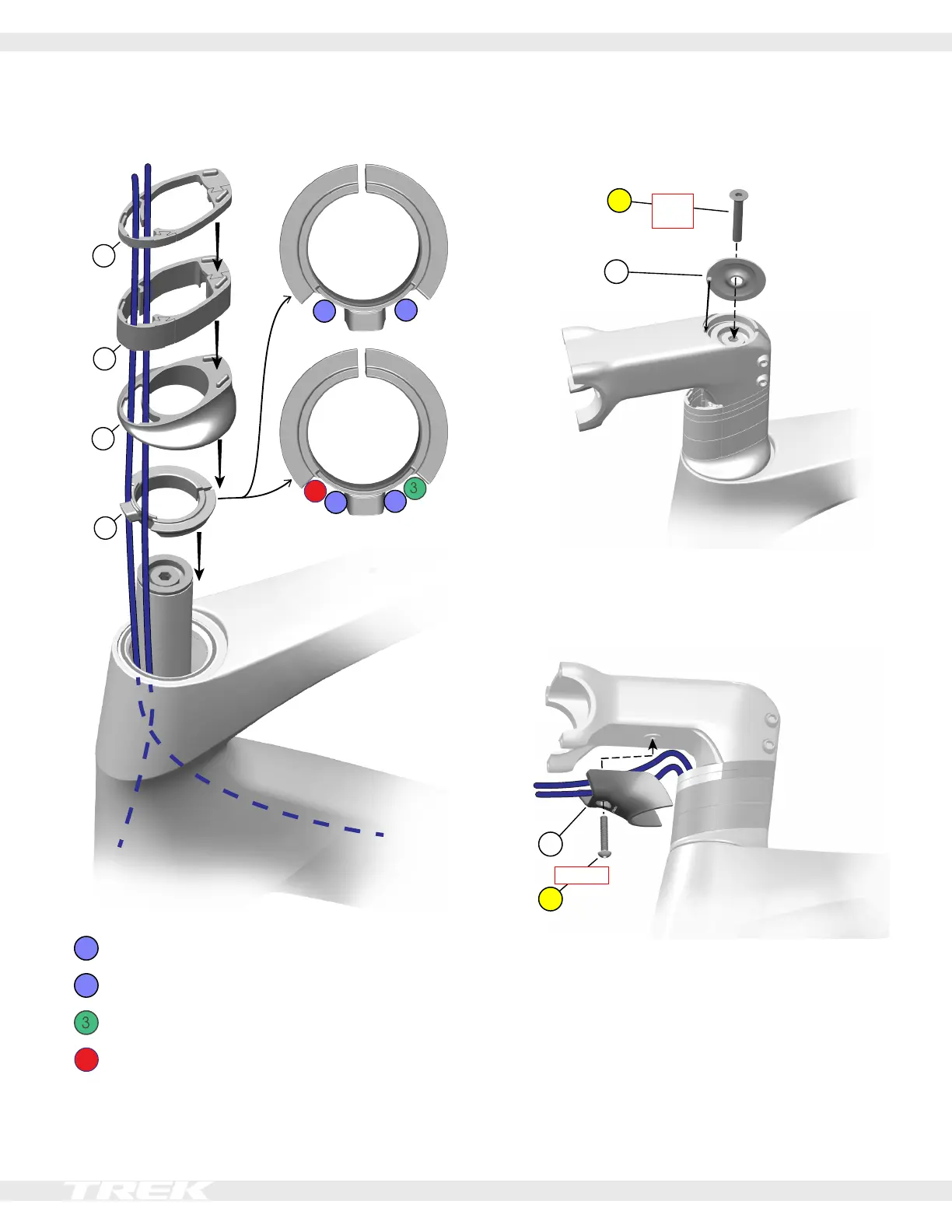
Install the headset
1. Route the headset parts down the housings.
2
1
eTap/Di2
4
2
1
Mechanical
9
10
11
12
1
Front brake hose.
2
Rear brake hose
Front derailleur cable housing
4
Rear derailleur cable housing
2. Loosely attach the stem (6).
3. Install the top cap (3) and tighten the top cap bolt (1).
1
4 Nm
max
3
4. Tighten the stem bolts (4) – alternating between
them – until both are torqued to 5.2 Nm.
5. Install the routing cover (7).
eTap/Di2
example
7
8
1.5 Nm.
eTap/Di2
example












 To Next Page