EN
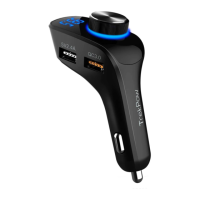
AUX Output
Bluetooth
Hands-free
In any playing state, Bluetooth,
U-disk or TF card, the device will
identify incoming call priority, short
press the knob to answer the call,
during the call, short press the
knob to hang up the call. After the
call finished, it will continuously
play the music before receiving the
phone call.
Call Back
Volume
Adjustment
The device can send the audio to
the car's FM receiver via FM, it can
also be used to connect the audio
signals to the car's AUX audio input
through the AUX output
interface.
Press the button twice to call back
the last contact.
Turn the knob to the left and hold
on, to decrease the volume. Turn
the knob to right and hold on, to
increase the volume.
08


 To Next Page
 Loading...