1. Mount the TEW-734APO devices in the desired locations. For instruction on
mounting the TEW-734APO to a pole, refer to the Pole Mounting the
TEW-734APO section below.
2. Connect each TEW-734APO to their respective networks.
3. Confirm that the TEW-734APO units are positioned correctly, and facing each
other.
4. Verify that the status LED indicators on each unit are functional and illuminated.
Power: Green
LAN: Green (blinking)
Signal Indicator: Green, Yellow, or Red.
Note: For this section, refer to the diagram above.
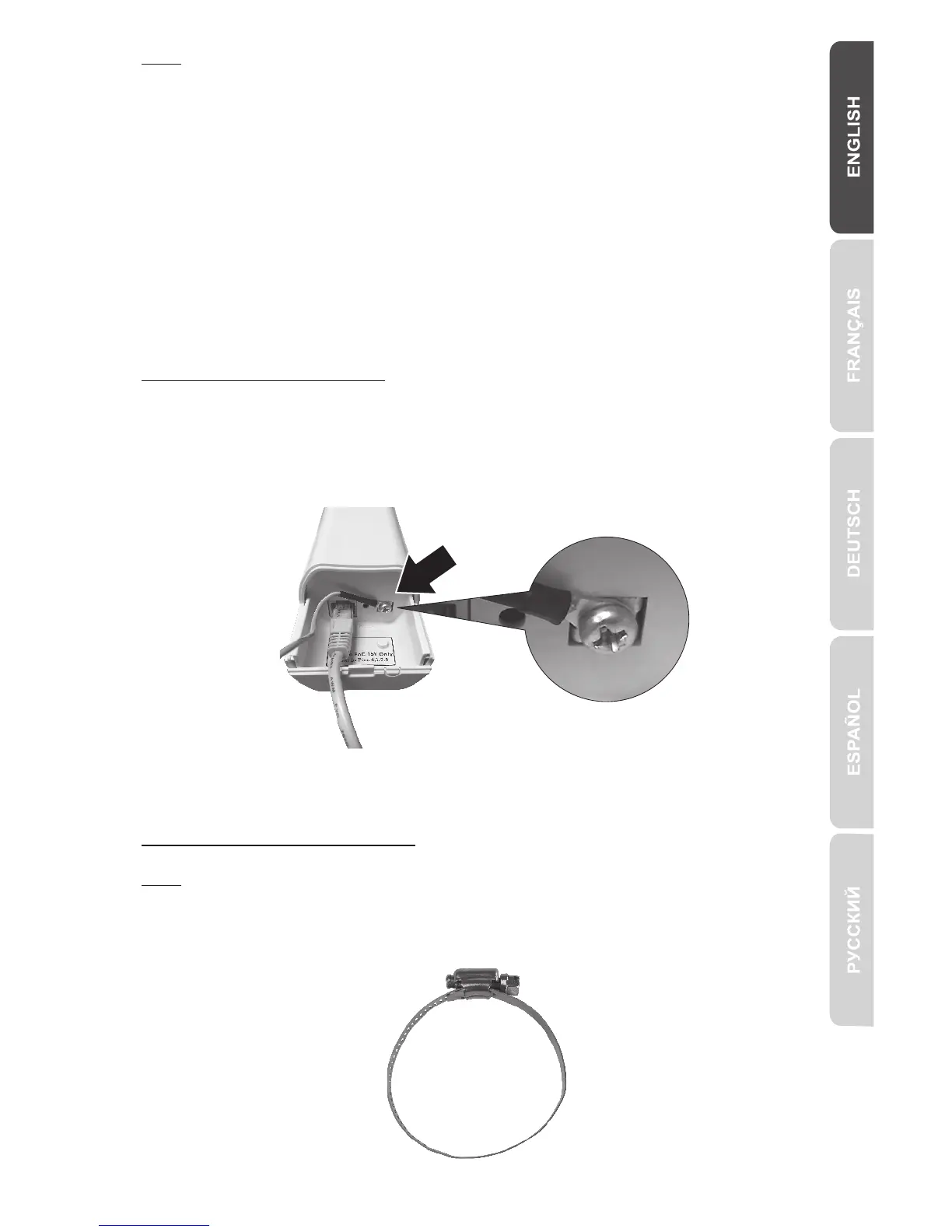
Connect the Grounding Wire
1. Pinch the tab and slide the cover down.
2. Remove the screw and insert the grounding wire on the screw.
3. Tighten the screw firmly in place and route the wire alongside the Ethernet cable.
4. Position both wires inside the access hole at the edge of the case, and slide the
cover back into place.
Pole Mounting the TEW-734APO
Note: The mounting clamp supports poles with a maximum diameter of 63mm (2.48
inches)
1. Turn the screw on the pole mounting clamp counter-clockwise to open the clamp.
10


 To Next Page
 Loading...