PyCCKMft I ESPAfiOL I DEUTSCH
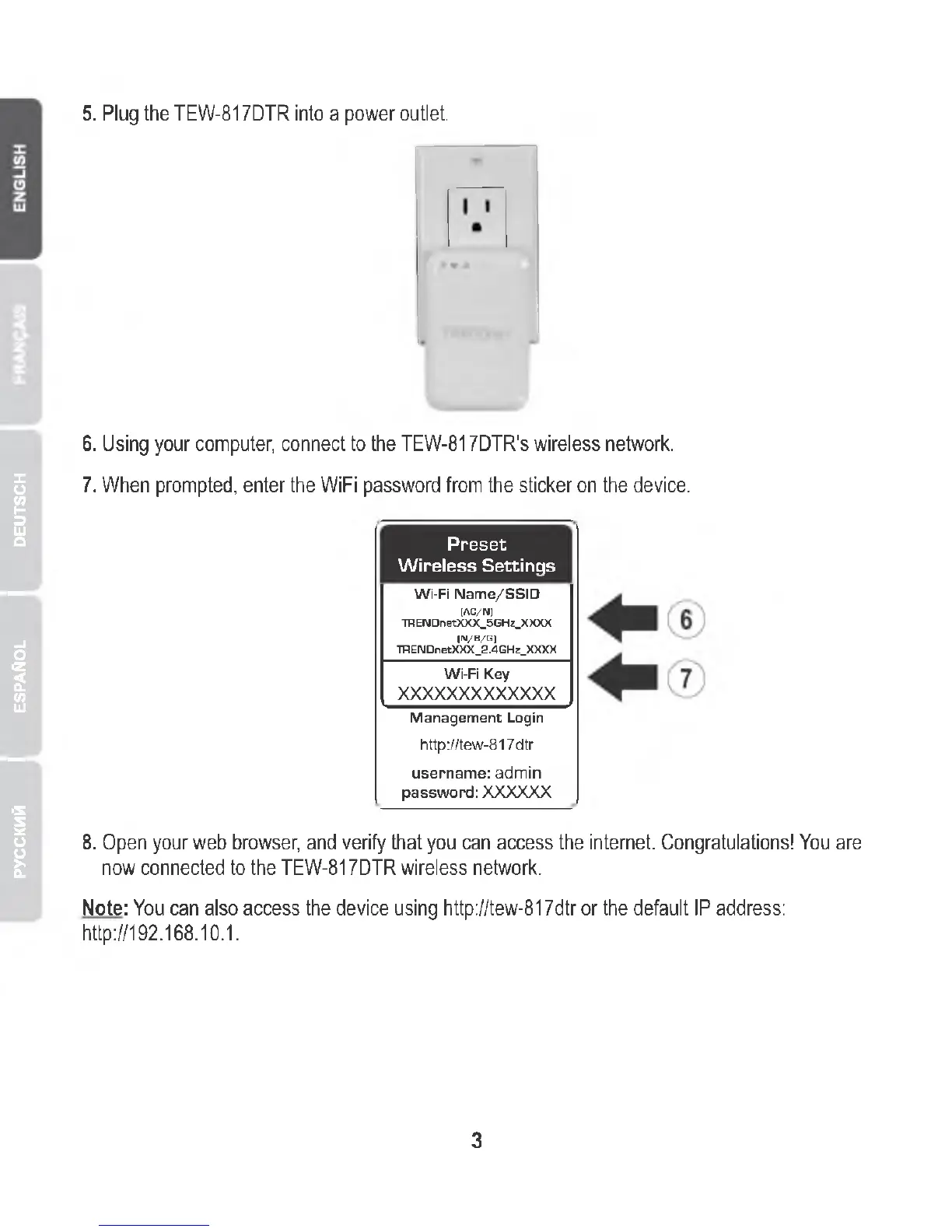
5. Plug the TEW -817DTR into a power outlet.
6. Using your computer, connect to the TEW-817DTR's wireless network.
7. When prompted, enter the WiFi password from the sticker on the device.
Preset
Wireless Settings
Wi-Fi Name/SSID
(AC/N)
TRENDnetXXX_5GHz_XXXX
(N/B/G)
TRENDnetXXX_2.4GHz_XXXX
Wi-Fi Key
XXXXXXXXXXXXX
Management Login
http://tew-817dtr
username: admin
password: XXXXXX
8. Open your web browser, and verify that you can access the internet. Congratulations! You are
now connected to the TEW-817DTR wireless network.
Note: You can also access the device using http://tew-817dtr or the default IP address:
http://192.168.10.1.
3















 To Next Page