GENERAL INSTRUCTIONS
www.treq-sim.com
1
2
3
Click!
1
2
3
Break!
REQUIRED TOOL:
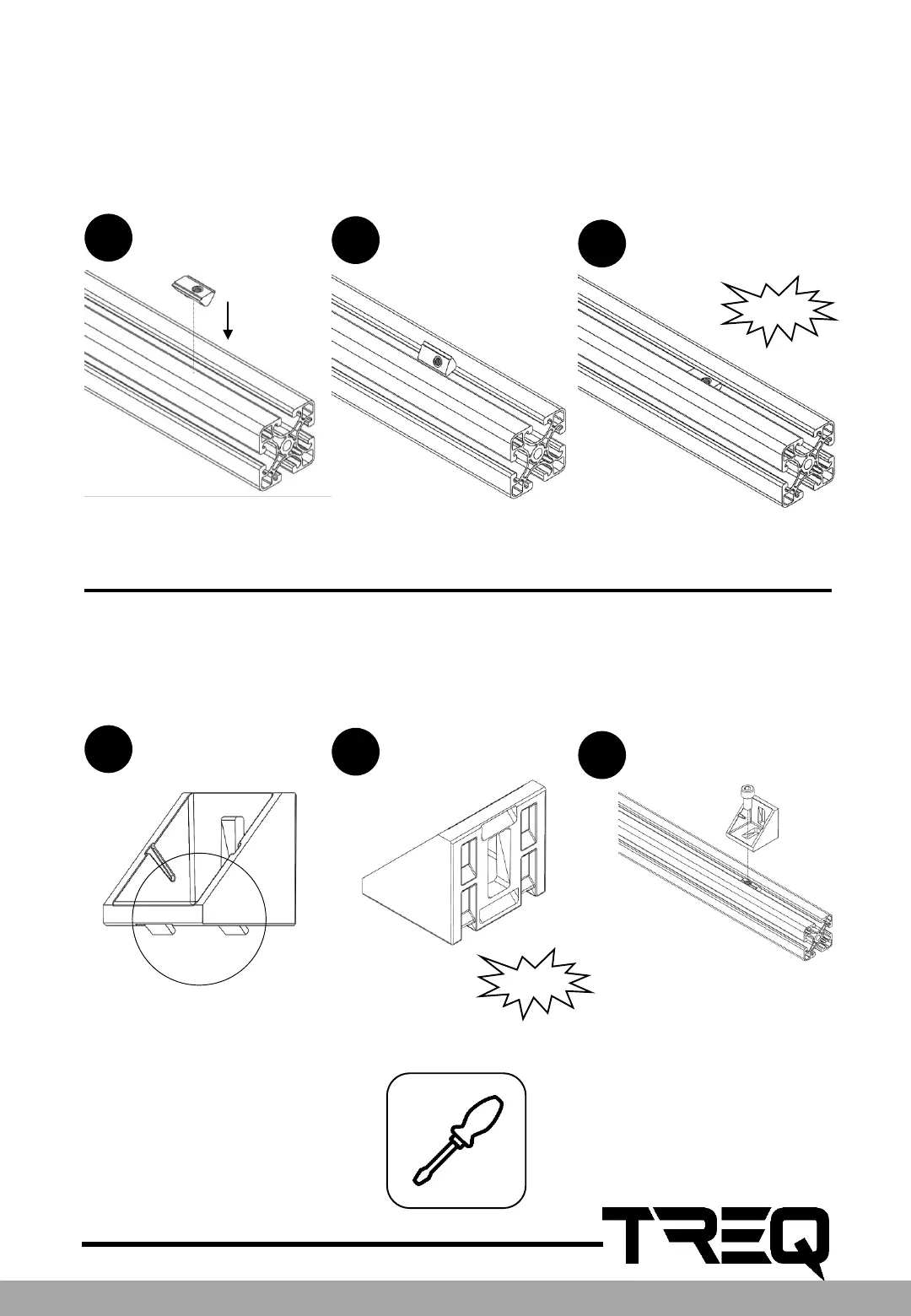
The easiest way to mount the click-in-nuts, is to slide them in from one side of the profile. But
don't worry if you need to put in a click-in-nut in a profile which has both ends already closed: it
is also possible to push them in the T-slot anywhere you like!
The corner brackets feature 4 little hooks to stop the bracket from rotating once it is mounted
on a profile. But on some places of the rig these corner brackets are placed on a 90° angle of
the T-slot. In these situations it is recommended to break off 2 of the hooks, which is easily
done with a screwdriver or a pincer.



 To Next Page