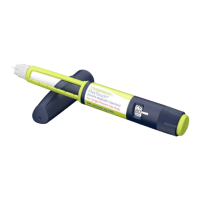
TRESIBA
®
FlexTouch
®
(insulin degludec injection) 200 units/mL
13
TRESIBA
®
FlexTouch
®
(insulin degludec injection) 100 units/mL
13
Instructions for Use
TRESIBA
®
(tre-SI-bah) FlexTouch
®
Pen 100 units/mL
(insulin degludec injection)
• Do not share your TRESIBA
®
FlexTouch
®
Pen with
other people, even if the needle is changed. You
may give other people a serious infection, or get a
serious infection from them.
• TRESIBA
®
FlexTouch
®
Pen 100 units/mL (“Pen”)
is a prefilled disposable pen containing 300 units of
TRESIBA
®
(insulin degludec injection) 100 units/mL insulin.
You can inject from 1 to 80 units in a single injection. The
units can be increased by 1 unit at a time.
• This Pen is not recommended for use by the blind or
visually impaired without the assistance of a person
trained in the proper use of the product.
Supplies you will need to give your TRESIBA
®
injection:
• TRESIBA
®
FlexTouch
®
Pen
• a new NovoFine
®
or NovoTwist
®
needle
• alcohol swab
• a sharps container for throwing away used Pens and needles.
See “After your injection” at the end of these
instructions.
Preparing your TRESIBA
®
FlexTouch
®
Pen:
• Wash your hands with soap and water.
• Before you start to prepare your injection, check the
TRESIBA
®
FlexTouch
®
Pen label to make sure you
are taking the right type of insulin. This is especially
important if you take more than 1 type of insulin.
• TRESIBA
®
should look clear and colorless. Do not use
TRESIBA
®
if it is cloudy or colored.
• Do not use TRESIBA
®
past the expiration date printed on the
label or 56 days after you start using the Pen.
• Always use a new needle for each injection to help
ensure sterility and prevent blocked needles. Do not
reuse or share needles with another person. You
may give other people a serious infection, or get a
serious infection from them.
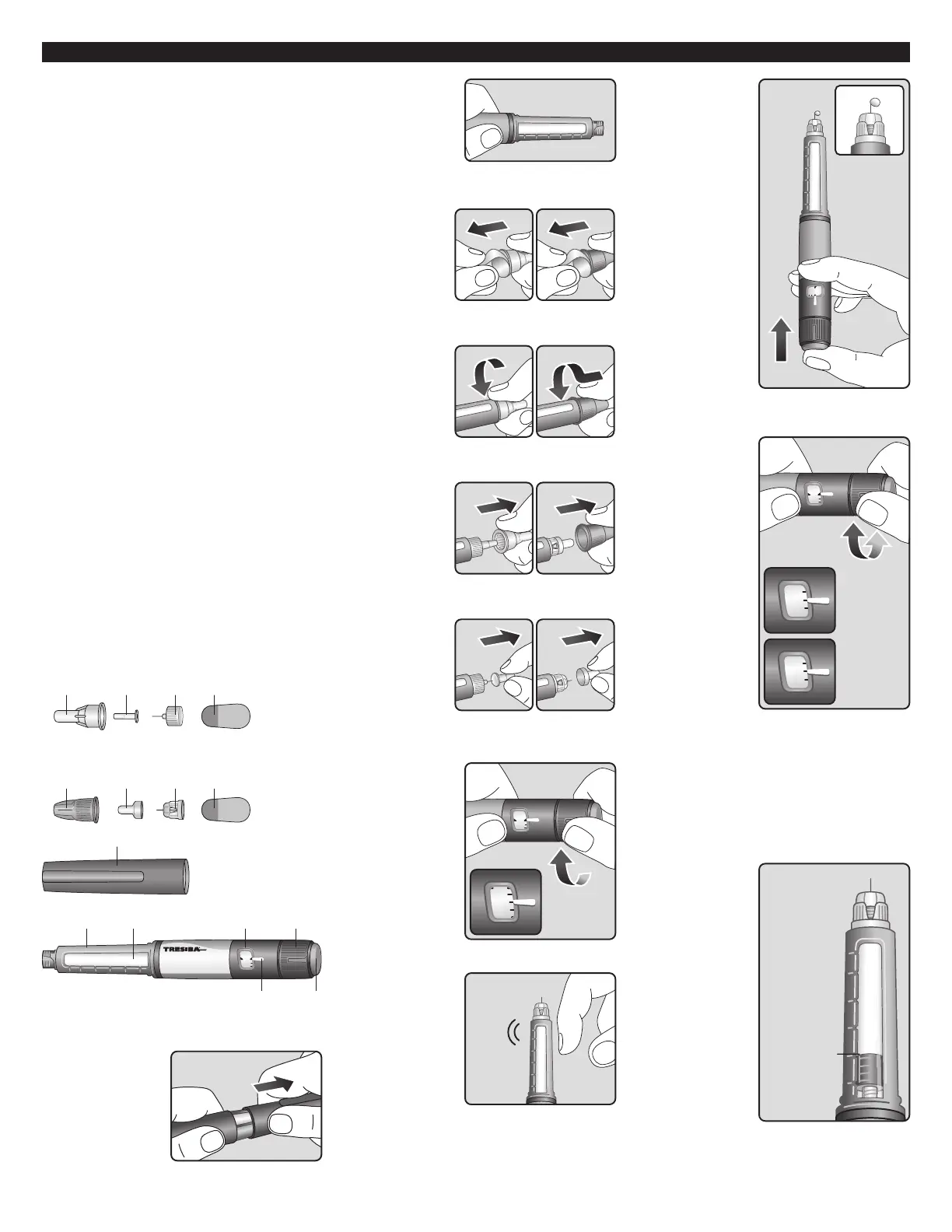
ovoFine
®
Outer
le cap
Inner
needle cap
Needle
Paper
tab
ovoTwist
®
Outer
le cap
Inner
needle cap Needle
Paper
tab
FlexTouch
®
(insulin degludec injection)
For Single Patient Use Only
250
200
150
100
50
scale
window
counter
selector
Dose
Dose
(Figure A)
Step 1:
• Pull Pen cap straight off
(See Figure B).
(Figure B)
Step 2:
• Check the liquid in
the Pen (See Figure
C). TRESIBA
®
should
look clear and colorless.
Do not use it if it looks
cloudy or colored.
(Figure C)
Step 3:
• Select a new
needle.
• Pull off the paper tab
from the outer needle
cap (See Figure D).
NovoFine
®
NovoTwist
®
(Figure D)
Step 4:
• Push the capped
needle straight onto
the Pen and twist the
needle on until it is
tight (See Figure E).
NovoFine
®
NovoTwist
®
(Figure E)
Step 5:
• Pull off the outer
needle cap. Do not
throw it away
(See Figure F).
NovoFine
®
NovoTwist
®
(Figure F)
Step 6:
• Pull off the inner
needle cap and
throw it away
(See Figure G).
NovoFine
®
NovoTwist
®
(Figure G)
Priming your TRESIBA
®
FlexTouch
®
Pen:
Step 7:
• Turn the dose selector
to select 2 units
(See Figure H).
(Figure H)
Step 8:
• Hold the Pen with the
needle pointing up. Tap
the top of the Pen gently
a few times to let any air
bubbles rise to the top
(See Figure I).
(Figure I)
Step 9:
• Hold the Pen with
the needle pointing
up. Press and hold in
the dose button until the
dose counter shows “0”.
The “0” must line up with
the dose pointer.
• A drop of insulin should
be seen at the needle tip
(See Figure J).
o
If you do not see a
drop of insulin, repeat
steps 7 to 9, no more
than 6 times.
o
If you still do not
see a drop of insulin,
change the needle and
repeat steps 7 to 9.
(Figure J)
Selecting your dose:
Step 10:
TRESIBA
®
FlexTouch
®
Pen 100 units/mL is
made to deliver the
number of insulin units
that your healthcare
provider prescribed. Do
not perform any dose
conversion.
Check to make sure
the dose selector is
set at 0.
• Turn the dose
selector to select the
number of units you
need to inject. The
dose pointer should line
up with your dose (See
Figure K).
o
If you select the
wrong dose, you
can turn the dose
selector forwards
or backwards to the
correct dose.
o
The even numbers
are printed on the
dial.
o
The odd numbers are
shown as lines.
(Figure K)
• The TRESIBA
®
FlexTouch
®
Pen insulin
scale will show you how
much insulin is left in
your Pen (See Figure L).
250
200
150
100
50
Example:
Approx.
200 units
left
(Figure L)


 To Next Page
 Loading...