DR 730 M
8
CHARGING THE BATTERY
Attherstuseofthedevice,chargeitfor3hours.
1. Connect the USB cable to the current Power Socket micro-USB (6) of the device.
Connect the other end to the USB port of the PC or AC adapter (not included) with Usb
socket.
2. The charge indicator on the display will illuminate to indicate the charging process.
Note: For a good battery life it is recommended to keep the unit off during charging. For
a full charge requires about 3 hours.
3. At the end of charging the charge indicator on the display will turn off.
POWERING ON/OFF
1. Turn the ON/OFF switch (7), to the ON position to switch on the appliance.
Note: after about 1 minute without operations, the display will turn off to allow energy
saving and preserving battery life.
2. Turn the ON/OFF switch (7) to the OFF position to switch off the appliance.
VOLUME ADJUSTMENT
1. Press the VOL+ button (2) to increase the volume of the device.
2. Press the VOL- button (1) to decrease the volume of the device.
MANUAL SEARCH
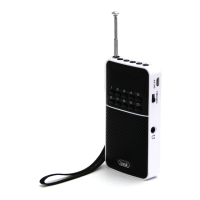
1. Extend the telescopic antenna (11), for better reception of stations
2. Press for a few seconds the button DOWN (4) or UP (5) to carry out a manual search
of radio frequencies; the search stops when a radio station is received.
3. Press the button DOWN (4) or UP (5) to decrease or increase the frequency of 0,1MHz.
DIRECT RECALL OF FREQUENCY
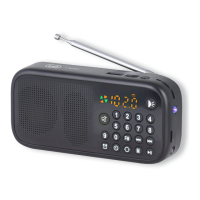
1. Use the keypad (9) to tune the desired frequency.
For example, to listen to 93.1MHz frequency type 9 3 1.
MANUAL STORING
1. Tune to a radio station.
2. Press ATS button (3). Displays a position from P01 to P40.
3. Press the button DOWN (4) or UP (5) to decrease or increase the position of the station
you want to store.
4. PressATSbutton(3)toconrmtheposition.Youcansaveupto40radiostations.
AUTOMATIC STORING
1. Press and hold the ATS button (3) to start the search and automatic recording of the
rst40radiostationsavailable.
Attheendwillplaytherststoredradiostation.
2. To recall the number of a stored station use the keypad (9).
Forexample,tocallthestationnumber12pressrst1andthen2.
ENGLISH


 To Next Page