36
left or right direction key). In audio player interface, you can press *# key or side button
to adjust volume; press up key to change playing sequence.
7.4.6 Sound recorder
After accessing the sound recorder, you can press left soft key to perform the following
operations:
- New: select this function to record a new file.
- List: recorded files are listed in this menu.
- Settings: Through this function, you can set storage position and format for record files
7.4.7 FM Radio
You can use the application as a traditional FM radio with automatic tuning and saved
channels. In FM radio interface, you can press OK key to play or stop; press left or right
key to auto search; press *# key or side button to adjust volume; press up or down key
to search channels.
7.5 Settings
7.5.1 Phone settings
- Time and date: set the date format, the time format, and detail time of the location.
Note: If you remove the battery from the mobile phone or if the battery energy was exhausted
a long time ago, you may need to reset the date and time when re-inserting the battery or
powering on the mobile phone after recharging.
- Languages: Select the display language for the mobile phone.
- Pref. input method: Select preferred input method as needed.
- Display: Users can access this item to set wallpaper, screen saver, power on off display,
etc.
- Flight mode: when this function is engaged, it will suspend many of the device’s signal
transmitting functions – thereby disabling the device’s capacity to place or receive calls
or text messages– while still permitting use of other functions that do not require signal
transmission (e.g. games, built-in camera, MP3 player.)
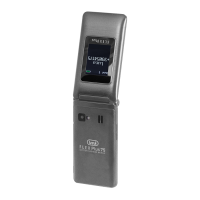
- External display clock style: Select the display style fron Analog or Digital.
7.5.2 Call settings
- Callwaiting.
- Call divert.
- Call barring.
- Advanced settings.
- Auto redial: After open this function, the phone will dial the number again
automatically every time when the out call fails or be rejected.
- Call time reminder: You can set the call time reminder mode as Single or
ENGLISH


 To Next Page
 Loading...