29
IP 365
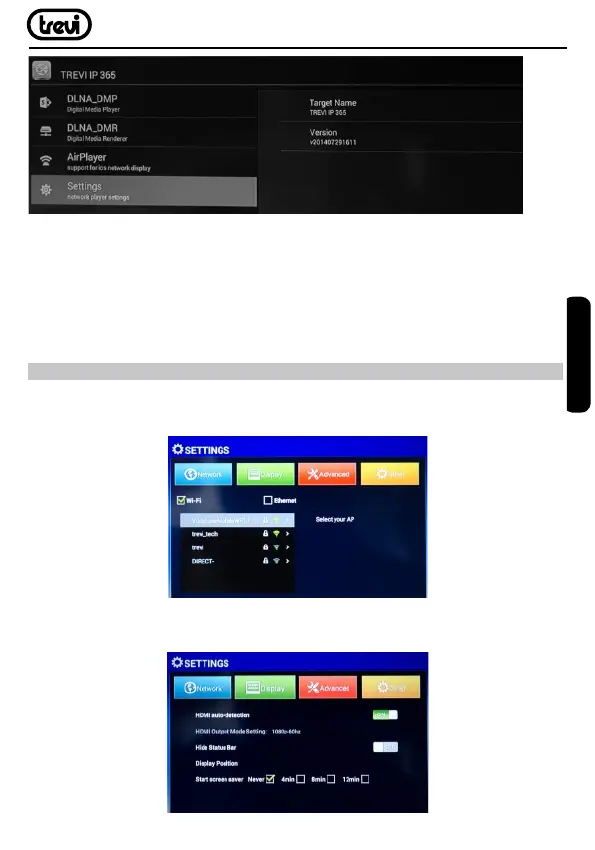
• Selecting DLNA_DMP (Digital Media Player) will display the list of devices networked,
just select the one you want to display the le that contains and play them on TV.
• Selecting DLNA_DMR (Digital Media Rendered) you can set the DMR.
• Select AirPlayer if you have Apple devices. AirPlayer is an Apple ‘s application dedicated
users. With AirPlayer you can play the video devices apple directly on TV. Adjust the
settings.
MENU
The menu of the device will allow you to set and adjust some parameters.
• From the main page select the “Settings” to enter the Menu appliance.
• Under NETWORK you can choose the type of Connection to the preferred network (Wi-Fi,
Ethernet) and enter the password of the Wi-Fi network.
ENGLISH



 To Next Page