35
ENGLISH
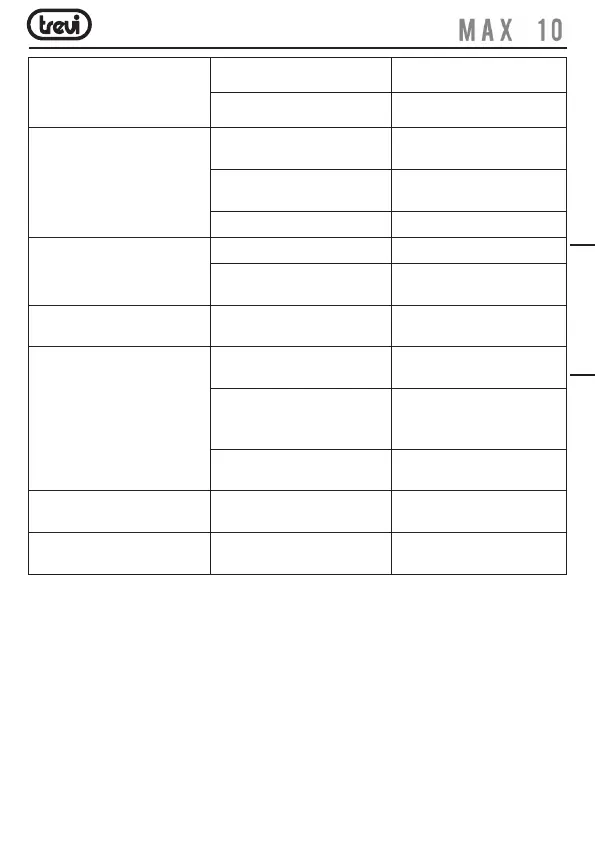
SIM card error The SIM card is damaged. Contact your network service
provider.
The SIM card is not properly
installed.
Ensure the SIM card is properly
installed.
Failed to connect to the network The SIM card is invalid. Contact your network service
provider.
Beyond the GSM coverage. Consult the network service
provider for service areas.
The signal is feeble. Retry at a stronger signal area.
Failed to make a call The call barring feature is used. Cancel the call barring settings.
The fixed dialing number feature
is used.
Cancel the fixed dialing number
settings.
PIN code error Enter incorrect PIN codes for
three times in succession.
Contact your network service
provider.
Failed to charge the battery The battery or the charger is
damaged.
Change a new battery or
charger.
Charge the battery when ambient
temperature is lower than -10°C
or above 55°C.
Change the environment.
Poor connection. Check whether the plug is
properly connected.
Failed to add contacts to
phonebook
The storage space of phonebook
is used up.
Delete some contacts from the
phonebook.
Failed to set up some features Your network not provider the
services.
Contact your network service
provider.


 To Next Page