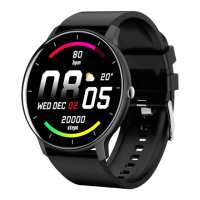
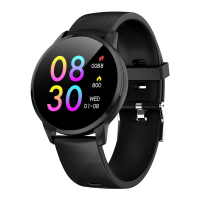
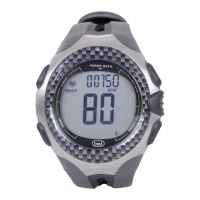
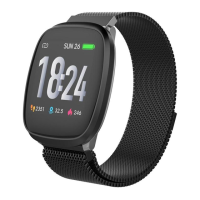
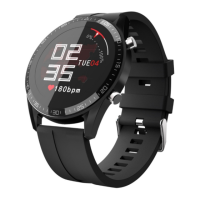
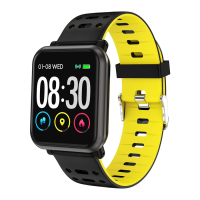
The Trevi Racer SG 320 is a digital wristwatch designed for various timekeeping and activity tracking functions, suitable for everyday use and sports. It features a robust design with a digital display and multiple physical buttons for navigation and control.
Function Description
The watch offers several modes and functions:
- Timekeeping: Displays the current time (in 12/24H format), date (month, day), and day of the week. It includes a 100-year calendar (2000-2099).
- Stopwatch: Measures elapsed time with 1/100 second accuracy. It supports lap time and split time measurements, allowing users to record intermediate times while the stopwatch continues running internally.
- Countdown Timer: A programmable timer that counts down from a set time. An alarm sounds for approximately 60 seconds when the countdown reaches zero.
- Alarm: Features five independent alarms and an hourly time signal (chime). Alarms sound daily at the preset time.
- Dual Time: Allows users to track time in a second time zone.
- Pacer: A function that establishes a rhythmic beat, useful for various sports as a reference for movement. The watch emits an acoustic signal at an adjustable frequency.
- Backlight: An EL (electro-luminescent) backlight illuminates the display for easy reading in dark environments.
Important Technical Specifications
- Voltage: 3V
- Supply: 1 CR2025 battery
- Water Resistance: 10ATM/100m, meaning it is suitable for swimming and snorkeling, but not for diving.
- Strap Material: TPU (Thermoplastic Polyurethane)
- Buckle Material: Aluminum Alloy
- Weight: 69g
Usage Features
Button Functions:
The watch has four main buttons labeled A, B, C, and D, along with a crown:
- A (Reset): Used to reset settings or functions, such as resetting the stopwatch or exiting setting modes.
- B (Functions): Used to select different modes (Timekeeping, Stopwatch, Countdown, Alarm, Dual Time, Pacer) and to change selections within setting modes.
- C (Light): Activates the EL backlight for approximately 3 seconds.
- D (Start/Stop): Used to start/stop functions (e.g., stopwatch, countdown) and to increase numbers during setting. Holding "D" often increases numbers at a faster rate.
- Crown: Used for manual adjustment of the analog hands. Pulling it out allows adjustment of the hour and minute hands, and pushing it back in locks the setting.
Mode Selection:
Pressing button "B" cycles through the following modes: Timekeeping → Stopwatch → Countdown → Alarm → Dual Time → Pacer.
Time Setting (Timekeeping Mode):
- In Timekeeping mode, press and hold "A" until the seconds flash. This indicates the watch is in setting mode.
- Press "D" to reset the seconds to zero.
- Press "B" to move to the next selection (e.g., hours, minutes, year, month, date, day of week).
- Press "D" to increase the number. Hold "D" to increase rapidly.
- Repeat steps 3 and 4 to set the hour, minutes, year, month, date, and day of week.
- Press "A" to exit the setting mode. The day of the week is automatically displayed based on the set year, month, and date.
- To switch between 12/24H format, press "D" in Timekeeping mode (outside of setting mode).
Manual Hand Adjustment:
- Pull out the crown.
- Rotate the crown to adjust the hour and minute hands.
- Push the crown back into its normal position after setting.
Stopwatch Usage:
- In Stopwatch mode, press "D" to start the stopwatch.
- To record a split time, press "A" while the stopwatch is running. The split time will be displayed, but the stopwatch continues timing internally.
- To clear the split time and continue displaying the running time, press "A" again.
- To stop the stopwatch, press "D".
- To reset the stopwatch to zero, press "A" after it has been stopped.
Countdown Timer Usage:
- In Countdown mode, press "A" to make the hour digits flash, entering setting mode.
- Press "D" to increase the hour. Hold "D" for rapid increase.
- Press "B" to select minutes.
- Press "D" to increase the minutes. Hold "D" for rapid increase.
- Repeat steps to set seconds (if applicable).
- Press "A" to exit setting mode.
- To start the countdown, press "D".
- To pause the countdown, press "D" again.
- When the countdown reaches zero, an alarm sounds for about 60 seconds. Press any button to stop the alarm.
Alarm Setting:
- In Alarm mode, press "C" to select Alarm1 through Alarm5, or the Chime (hourly time signal).
- To set an alarm (e.g., Alarm1), press "A" to make the hour digits flash.
- Press "D" to increase the hour. Hold "D" for rapid increase.
- Press "B" to select minutes.
- Press "D" to increase the minutes. Hold "D" for rapid increase.
- Press "A" to exit setting mode.
- To activate/deactivate an alarm, press "D" in the respective alarm display (outside of setting mode).
- To activate/deactivate the Chime, press "D" when "CHIME" is displayed.
Dual Time Setting:
- In Dual Time mode, press "A" to make the hour digits flash.
- Press "D" to increase the hour. Hold "D" for rapid increase.
- Press "B" to select minutes.
- Press "D" to change the minutes (press once to change by 30 minutes).
- Press "A" to exit setting mode.
Pacer Function:
- In Pacer mode, the tempo number will flash.
- Press "A" to select the desired tempo from a predefined sequence (e.g., 10, 20, 30, 40, 60, 80, 120, 160, 240, 320 beats per minute).
- Press "D" to start the pacer.
- Press "D" again to stop the pacer.
Maintenance Features
General Maintenance and Cleaning:
- Use a soft, dry cloth to clean the watch.
- Avoid solvents or abrasive substances, as they can damage the watch or strap. Abrasive cleaning agents may scratch plastic parts.
- For heavier dirt, dampen the cloth with warm running water.
- Do not apply excessive pressure to the front glass to prevent breakage.
- Do not press buttons underwater or when the device is immersed in liquid, as this can compromise water resistance.
Battery Warnings:
- Keep batteries out of reach of children.
- Do not leave unattended batteries; there is a risk of ingestion by children or pets.
- Batteries must not be short-circuited, opened, or thrown into fire due to explosion risk.
- If skin comes into contact with damaged or leaking batteries, burns may occur. Wear suitable gloves.
- Do not recharge regular (non-rechargeable) batteries.
- Pay attention to polarity when inserting batteries.
Battery Replacement:
- Replace the battery when the display no longer shows any indication.
- To replace the battery, unscrew the housing base, remove the old battery, and insert a new CR2025 battery.
- Battery replacement should be carried out by qualified personnel or an Authorized Service Center (Trevi).
Environmental Information (WEEE Directive):
The crossed-out wheeled bin symbol on the product indicates that it must be collected separately from other waste at the end of its life cycle. Users should take the device to appropriate differentiated collection centers for electronic and electro-technical waste or return it to the retailer when purchasing a new equivalent device (1-for-1 or 1-for-0 for equipment under 25 cm). Proper separate collection, treatment, and environmentally respectful disposal contribute to preventing negative impacts on the environment and human health, and promote the recycling of materials. Illegal dumping of the product by the user will result in administrative sanctions.

 Need help?

 To Next Page
 General