21
SCD 5753 DAB
APP SMART BT IPLUG
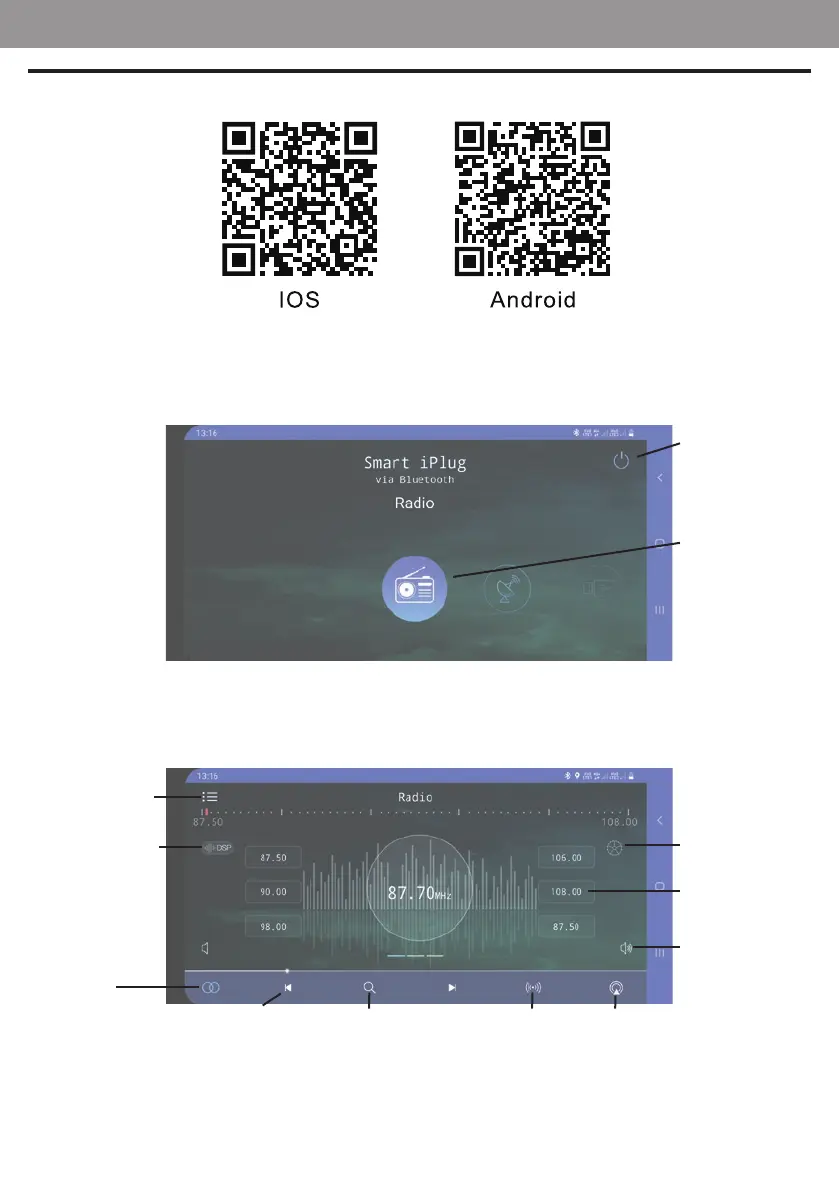
Download and install the app from the following QR codes:
Alternatively, search for the SMART BT IPLUG app in the main app stores.
After installing the app, connect your smartphone via BT to your car stereo; after making BT connection, launch the app.
On the rst screen you will be asked which source to select for playback:
FM Radio management screen:
Car radio ON/OFF
Source selection
ENGLISH
Setting menu'
Volume
FM memory station
recall
Automatic search
and store
Stereo/Mono
Audio setting menu'
Source selection
Automatic search Local ON/OFF Band



 To Next Page