8
Trevi Spa User Guidea
Step 2: Setting the time and the filtering cycle
▪ All information about each of the keyboards can be found on our web site at trevi.ca, in the virtual
documents section of the Customer Access section
▪ The filter cycle needs to be changed to increase the frequency and duration for a total of 8 hours of filtration
daily. We recommend that you adjust the frequency rather than the duration. In this way, the spa starts up more
frequently, but for less long.
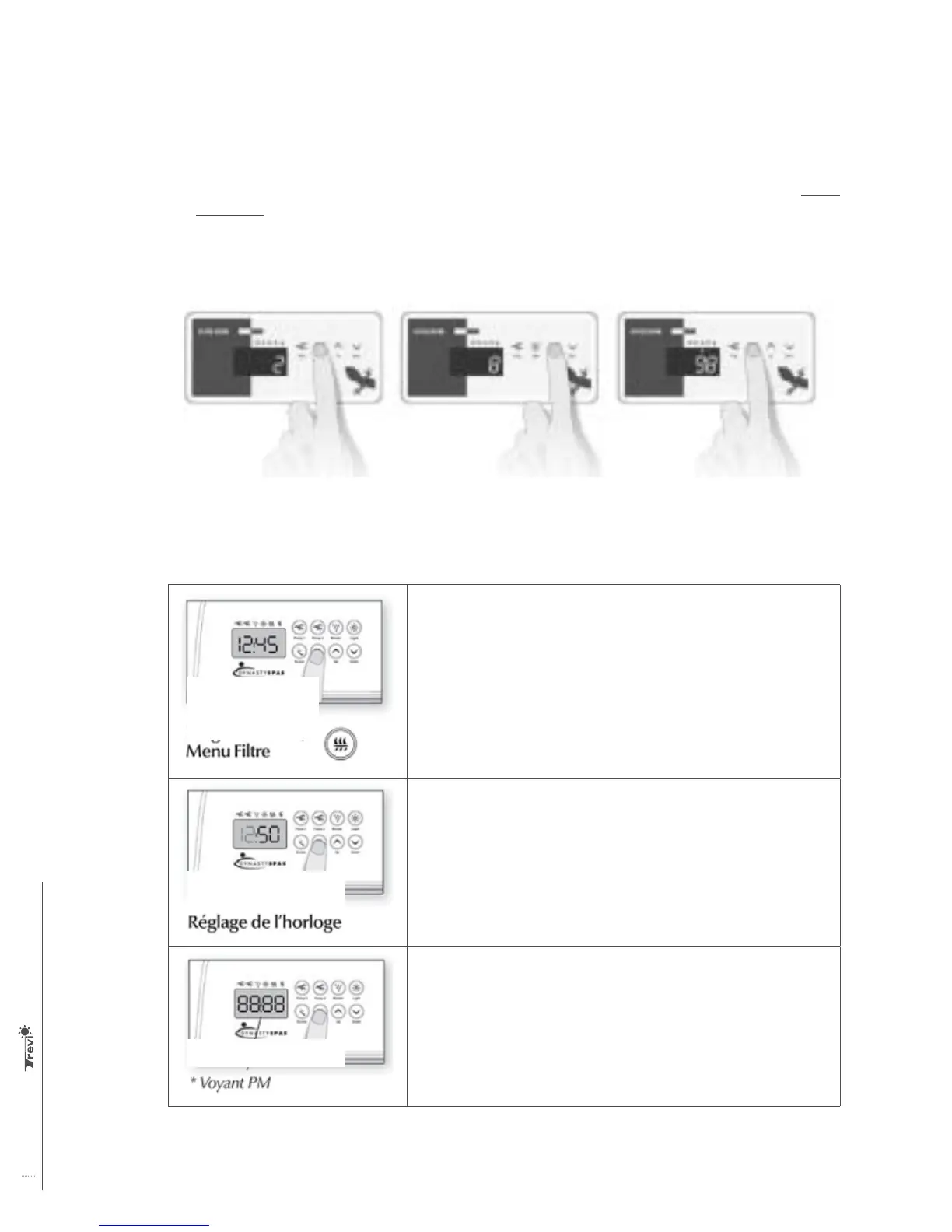
Press the Light button for 5 seconds.
The display shows the current duration
of the filtration cycle in hours.
Use the Up or Down keys to set the
length of the cycle in hours.
0 = No filtration
12 = continuous Filtration.
When the desired value is displayed,
press the Light button to confirm. A
filtration cycle starts. The Filtration
display light is lit during a cycle.
Pressing and quickly releasing the Filter key will enable the clock display.
Pressing the key for 5 seconds will allow you to enter the programming menu.
In the programming menu, the following items can be set: the clock, the
filtering cycles or the purging cycles, economy mode and temperature units. In
the programming menu, use the +/- buttons to adjust the settings and use the
Filter key to move to the next setting. The changes will be saved only after
confirmation of the last setting. If you do not press the key for 10 seconds, the
system will exit the programming menu without saving the changes.
Enter the programming menu by holding down the Filter key for 5 seconds.
The display will show the current clock setting. The minutes will be set and
the hours will flash.
Depending on the manufacturer’s setting, your system can be adjusted
according to the military 24-hour designation or the regular 12-hour
designation.
Setting the hour: Use the +/- buttons to change the setting of the hour
(AM/PM). Press the Filter key to move to the next setting, minutes.
Setting the minutes: Use the +/- buttons to change the minutes setting.
Press the Filter key to move to the next setting, filtration (FS) start time.
Filter menu /
Programming
Setting the clock
PM
display



 To Next Page