XP 71 BT
ENGLISH
HANDS FREE FUNCTION IN BLUETOOTH MODE
- When you receive a call you will hear a warning sound, press
once the button /(3) to answer, press again to end the call.
To reject the call, press and hold the /(3) button.
- Press the /(3) button twice quickly to start the call last
number dialed with the phone connected to the speaker.
MICRO SD READER
- Insert a micro SD memory (not included) containing MP3 music
4. After connection the speaker start to play music.
5. Press / (3) to pause; press it again to resume playback.
6. Press : (4) and 9 (2) to move to the next/ previous track.
Note:
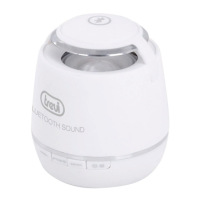
- The Bluetooth speaker will go into sleep mode automatically after
a certain inactivity time.
- The Bluetooth speaker only works with one connection at a time,
the connection can not be interrupted during normal operation.
- The handfree function is available only in Bluetooth mode.
- When the Bluetooth pairing with external devices fails, delete
another Bluetooth device in the list of connections, restart the
Bluetooth speaker and try the signal again.


 To Next Page