EasyManua.ls Logo

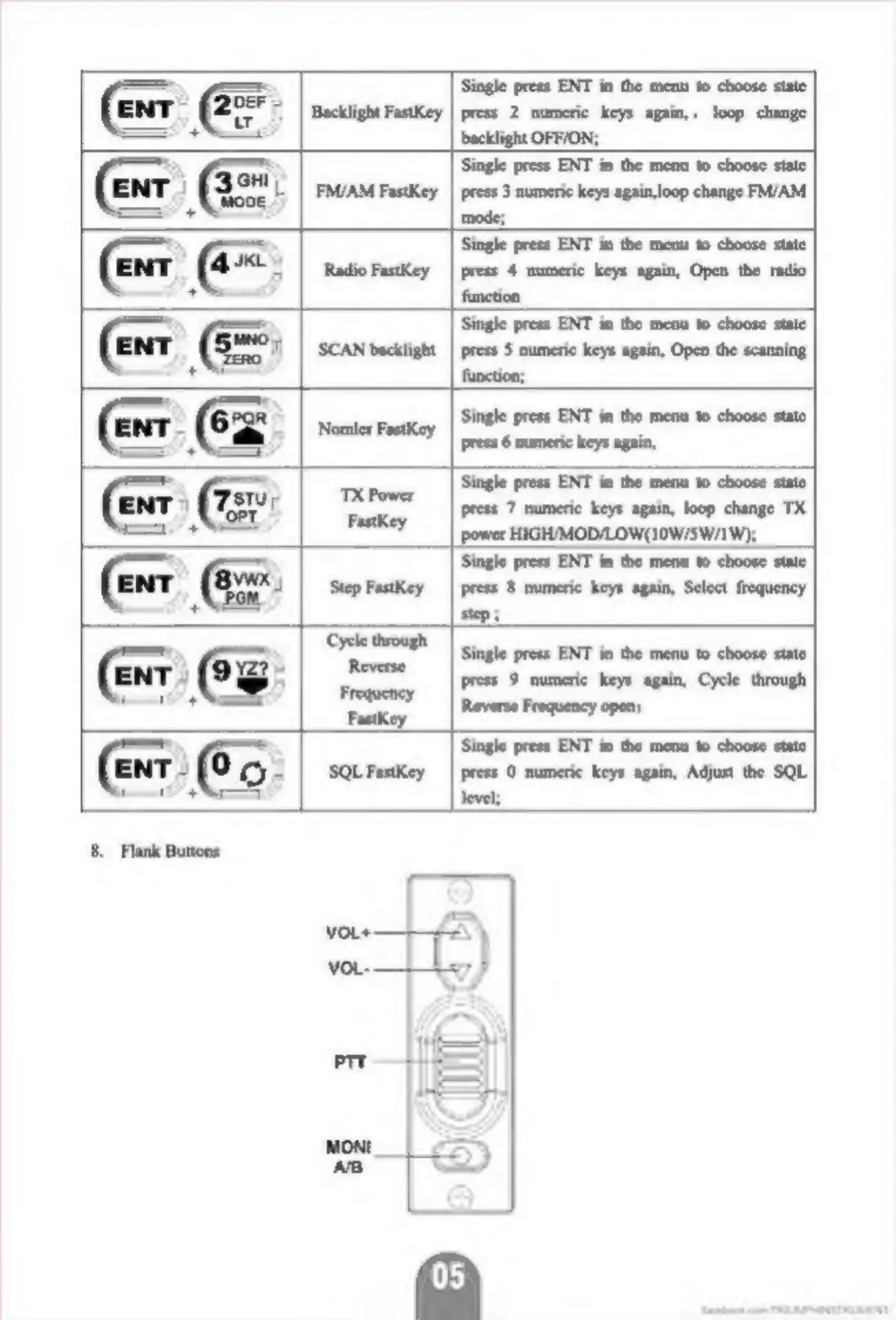
TRI AN/PRC-152A - FastKey Functions

Default Icon
11 pages
Print Icon
To Next Page IconTo Next Page
To Previous Page IconTo Previous Page
Loading...
Single
press
ENT
їп
the
menu
to
choose
state
Backlight
FastKey
|
press
2
numeric
keys
again,»
loop
change
backlight
OFFION:
Single
press
ENT
în
the
menu
to
choose
sate
FM/AM
FastKey
|
press
3
numeric
keys
again
оор
change
FM/AM
mode;
Single
press
ENT
în
the
menu
to
choose
sate
Radio
FastKey
|
press
4
mumeric
keys
again,
Open
the
radio
function
Single
press
ENT
în
the
menu
to
choose
state
SCAN
backlight
|
press
5
numeric
keys
again,
Open
the
scanning
function:
Single
press
ENT
in
the
menu
to
choose
state
Nomler
Еа
:
en
|
presă
6
numeric
keys
again,
Single
press
ENT
în
the
menu
to
choose
state
TX
Power
а
FastKey
Press
7
numeric
keys
again,
loop
change
TX
power
HIGH/MOD/LOW(10W/SW/W);
Single
press
ENT
in
the
menu
to
choose
state
Step
FastKey
|
press
Е
numeric
keys
again, Select
frequency
жер:
n
|ы,
штан
Ed
press
9
numeric
keys
again,
Cycle
through
Teo)
|
Бетпе
Frequency
open
Single
press
ENT
în
the
menu
to
choose
state
SQL
FastKey
|
press
0
numeric
keys
again, Adjust
the
SQL

Related product manuals