1. Quick start guide
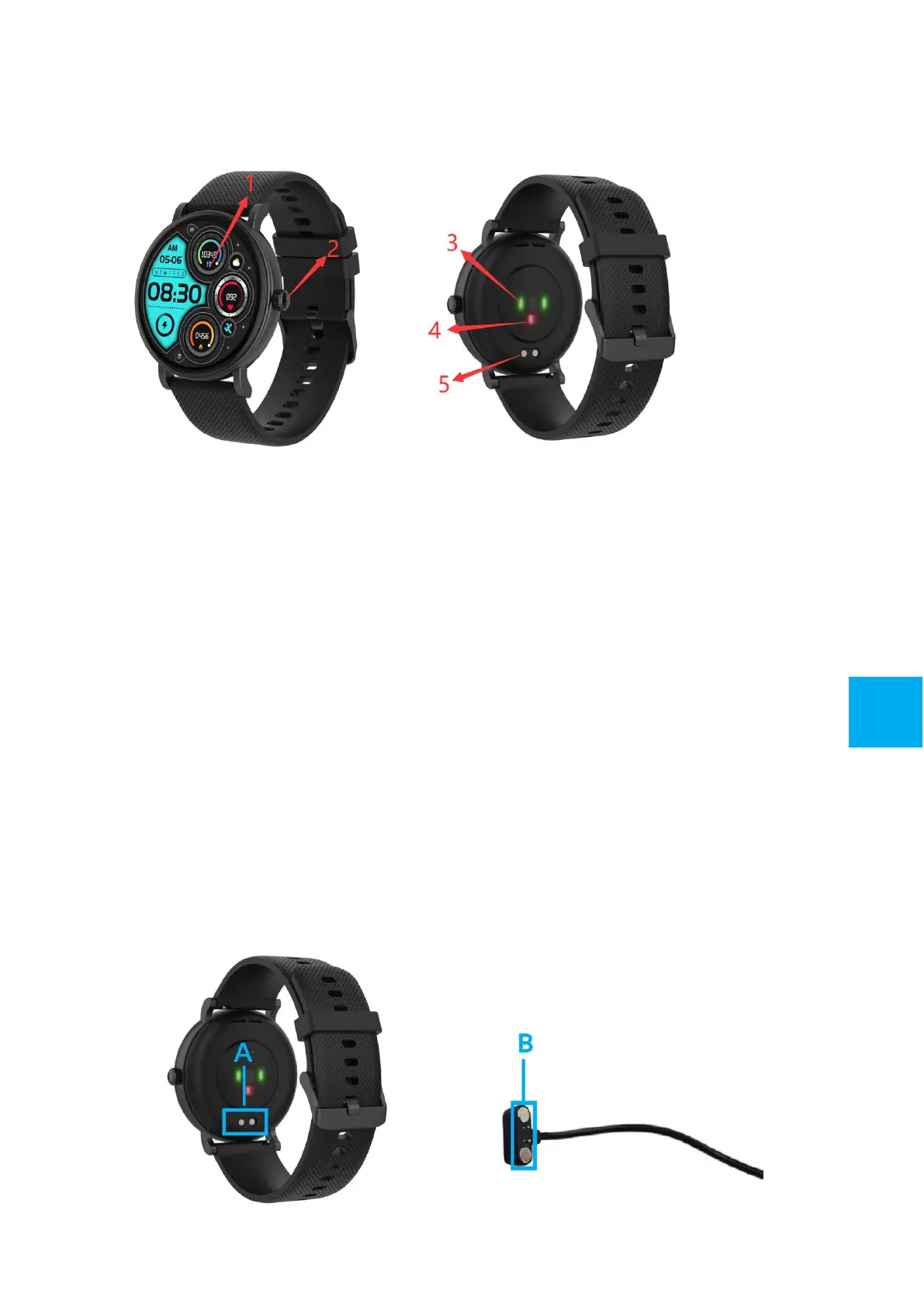
Overview
1. Touch screen
2. Side button: Long press to power on and power off; Short
press to back watch interface or let display off/on
3. Heart rate sensor
4. Blood Oxygen sensor
5. Charging pins
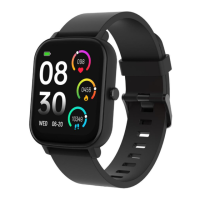
2. Charge your Smart Watch
⚫ Make sure the POGO-pins on the charging cable fit correctly
onto the charging terminals on the back of your smart watch.
⚫ Plug the big end of the USB cable into the power supply, match
the magnetic end with the watch. When it is connected
successfully, a charging icon will appear on the screen.
3
GB


 To Next Page