8
Operation Instruction
⚫ Press the Touch Key or raise hand to light the screen.
⚫ Press the Touch Key again to switch main menu interface.
⚫ Long press the Touch Key to confirm or enter in sub-menu.
1. Functions
Watch face
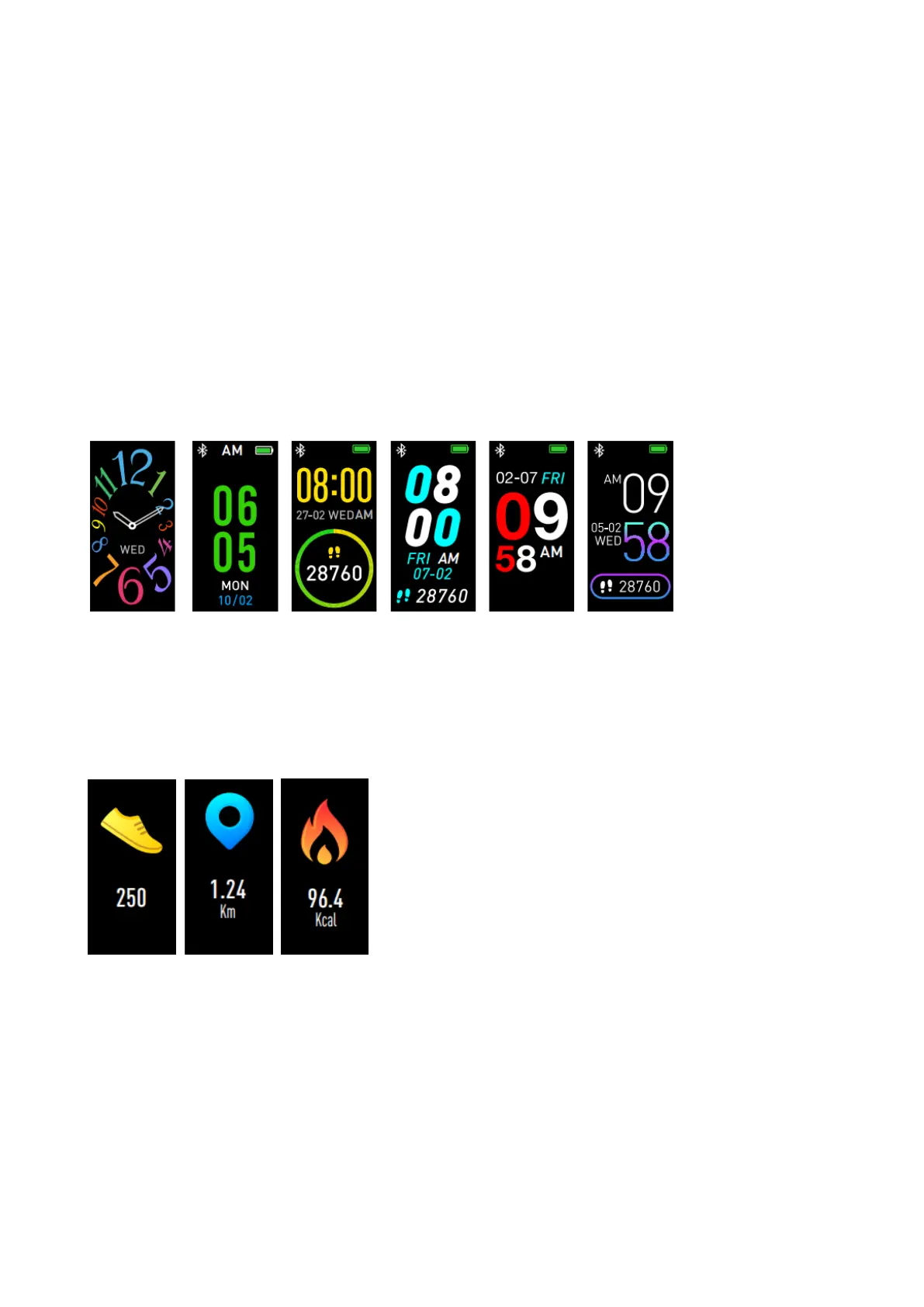
6 watch faces are available. Press the Touch Key to turn on the
device. Long press again to choose different watch faces.
Pedometer
The Fitness Activity Tracker Wristband records your daily activity
automatically. Press the Touch Key to switch between steps,
distance and calories interfaces.
Synchronize the device with “Triacle Life” App and check your


 To Next Page