10
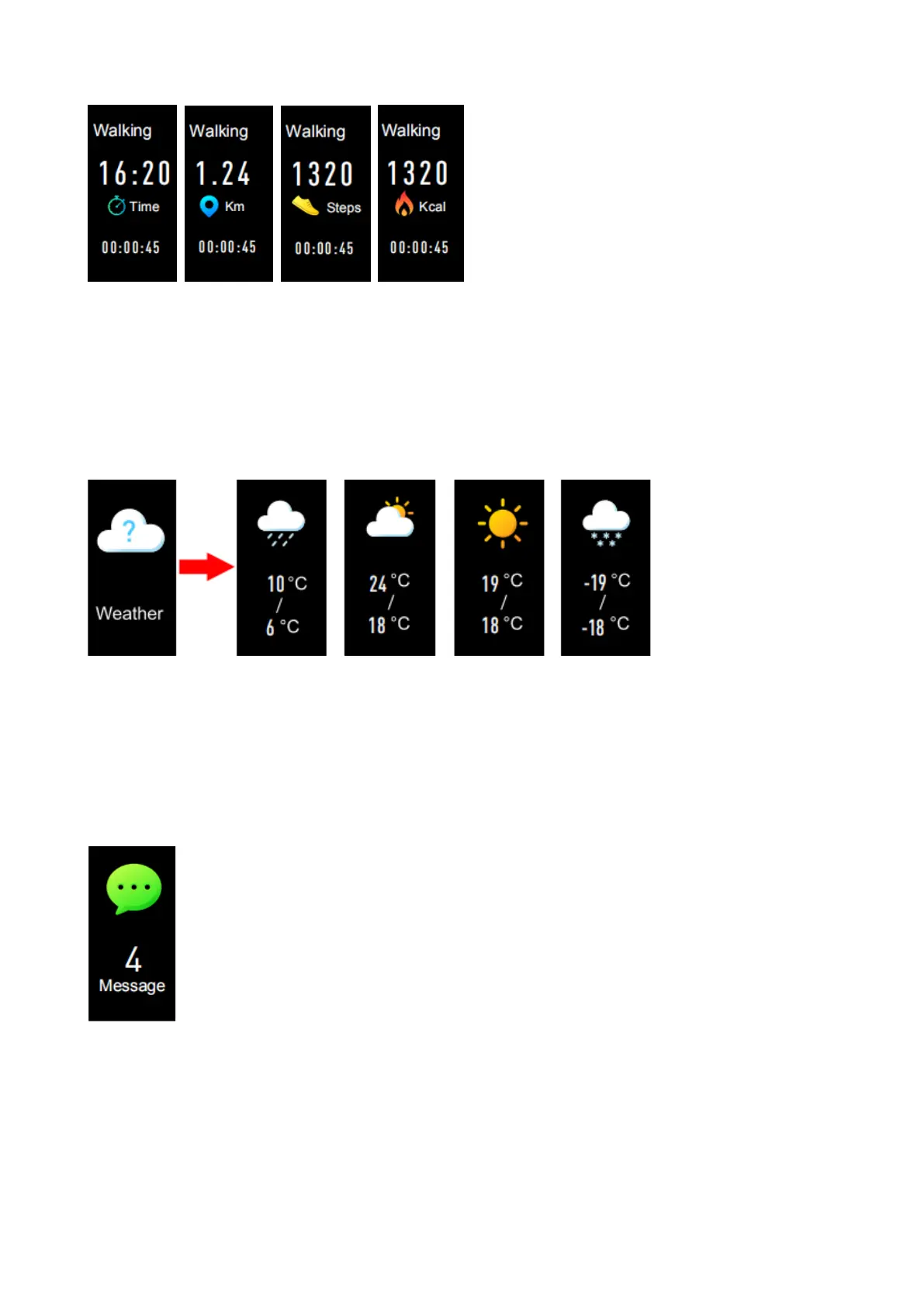
When completing the sport, long press the touch key twice to stop
recording your sport data, which is already saved in your device
and traceable on “Triacle Life” App of your smartphone.
Weather
After connecting with “Triacle Life” App, select a city in “Settings –
Weather” of the App. The weather of this city will display on the
Fitness Activity Tracker Wristband.
Message
Press the touch key to switch to the message interface. Press and
hold the touch key to enter the functions of incoming call, SMS,
Whatsapp and email etc. to check the full message.


 To Next Page