RackAmp DSP v2 Quick Start Guide - P2
DSP V2.0 2015.03.19
RackAmp DSP v2
VOLUME +00dB
Use buttons to
navigate through menus.
Items between arrows are
selected and active immediately.
Use (Left & right) buttons to
change values. ENTER is not
needed unless prompted.
User Menu changes are saved
instantly. To save Installer Menu
changes and exit: Press Back.
Submenus appear in the Menu only
when the related menu item above
them is active. They are lightened in
these drawings for clarity.
Example: You see CONFIRM only
after PICK SUB model is entered.
TRIAD SPEAKERS
XXX DSP VER. XX
IR
Features & Benefits - Triad RackAmp DSP v2
Powerful RackAmp DSP v2 technology combines Class A/B perfor-
mance with near Class D efficiency to provide superior bass, set-up,
calibration, & control. V2 RackAmps team with Triad subwoofers to
produce high impact, explosive bass with films as well as nuanced &
detailed bass with music. You can hear the difference.
•
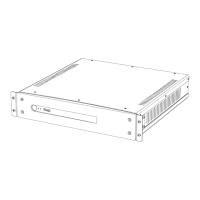
350 & 600 Watt Amplifiers. 1 Rack Space High. Saves rack and shelf
space. 350 drives one 4 ohm or two 8 ohm Mini, Bronze, & SlimSubs;
600 drives one 4 ohm Silver, Gold, & Platinum Sub.
•
Energy Star Compliant. High efficiency means low heat - saving
energy & money. You can stack RackAmps or place them in a
cabinet with minimal ventilation..
•
Balanced & Unbalanced Input and Output. Mate DSP SubAmps with
high-end systems.
•
3 Convenient Set-up Methods:
Plug and Play delivers real-world high performance, easily.
EZ Menu Set-up for even higher performance – with both
2-channel and home theater systems.
IP Set-up for remote amplifiers and Advanced Features.
•
Boundary EQ. Makes your sub perform its best anywhere in the room
(InRoom, MidWall, or Corner).
•
Unique Multi-Sub Setup. Delay & Input Gain adjustments combine
with daisy chaining to make multiple subs perform better as a team
than they do separately. Hear significant improvements in bass
impact, dynamics, & frequency response.
•
2-Channel Crossover & Delay on Line Outputs. Improve 2-channel
systems with crossovers, bass management & time alignment.
•
4 Power/Control options. Auto-sense, LV Trigger, IR (infrared), and
Manual power-on methods let you integrate DSP SubAmps into every
type of system control.
•
Six User Presets. Choose the right sound for every condition, from
a gentle Night Mode to two installer-adjustable (via IP) Custom
Presets for individually tailored sound.
•
Dynamic Menu. Set-up changes take effect instantly so you hear
changes as you make them.
•
IP Addressable Computer Interface See instructions on Triad's Support page,
Subwoofer tab at http//www.triadspeakers.com/support.html
1) Remote Set-up. Use to set-up & calibrate when your subwoofer
and amp are in different rooms.
2) RoomEQ. Use six-band parametric equalizer to fine-tune your
subwoofer to the room.
3) 2 Installer-adjustable Custom Presets. Each includes 1 additional
band of Parametric equalization plus adjustable default volume level.
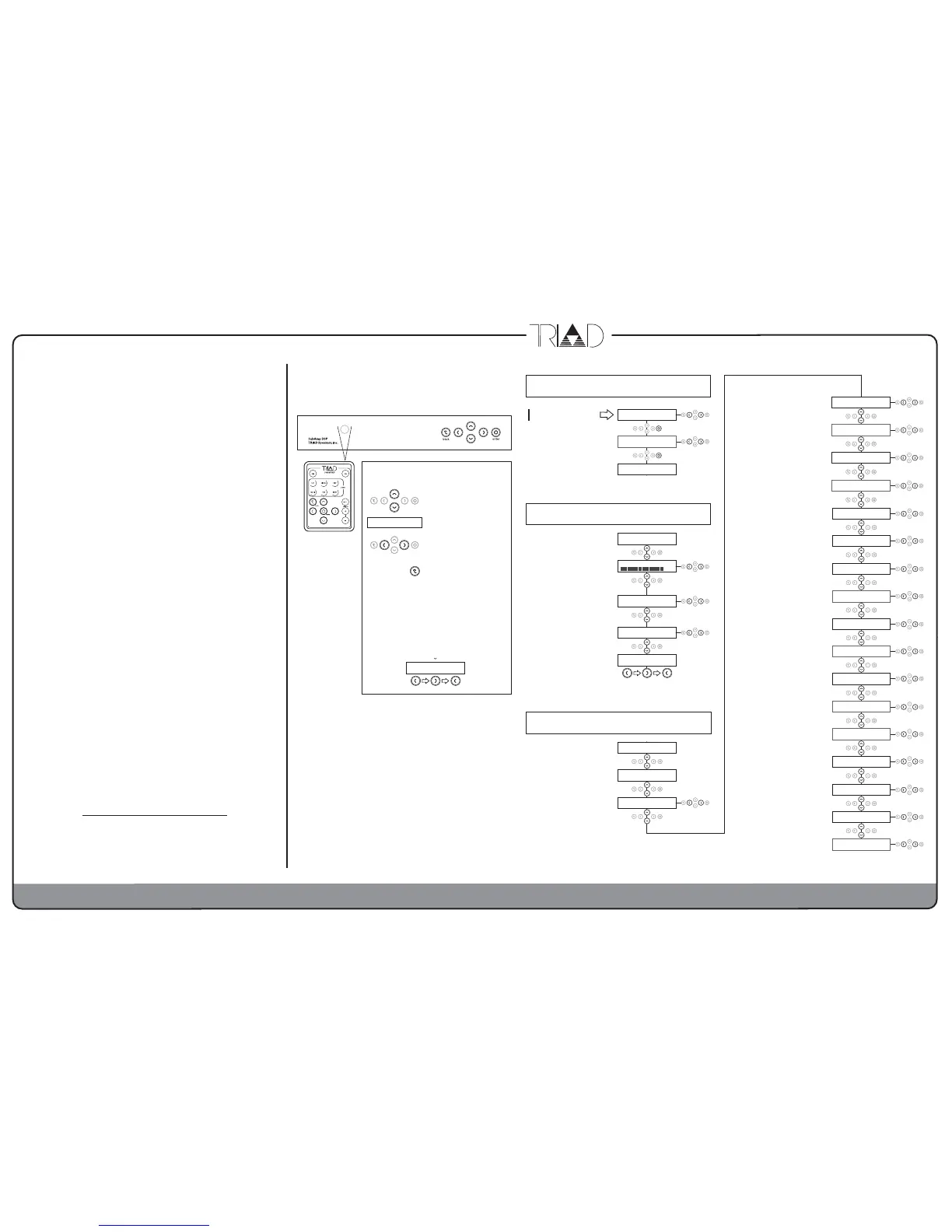
Menus & Set-up
Use Cursors & Enter buttons on
remote control or on front panel.
LFE
Menu Navigation, Operation
and Saving:
SUB MODEL
SELECTED
CONFIRM PRESS ◊
IR BRONZE DSP
PICK SUB PRESS ◊
IR BRONZE DSP
When 1st Powered ON
Select Triad subwoofer model.
DISP BRIGHTNESS
LOW
MEDIUM HIG
PRESET SELECTION
2CU
REF CIN
IR BRONZE DSP
TO CONTINUE
User Menu
You must wait 10 seconds to continue.
MUTE, -40db to +11db. VOLUME is
temporary and returns to 00dB when
amp is unpowered, switched to Standby,
or a different Preset is selected.
For permanent changes, use Installer
Menu INPUT GAIN.
REFerence (for repeatable calibration),
CINEMA, THX, NIGHT, CUSTOM 1,
CUSTOM 2. PRESETS let end users
adjust bass for conditions.
LOW, MEDIUM, HIGH. DISPLAY
BRIGHTNESS adjusts front
panel display.
To enter Installer Menu, press
these 3 buttons:
ROUTE DELAY TO
LINE
OFF SUB
LINEOUT SLOPE db
49
12 24
LINEOUT HP hz
300
THRU 30
30hz to 300hz, LFE. SUB LOWPASS
filter for speaker Output only. Use LFE
to bypass filter when using crossover
in your AVR or pre-pro.
12, 24, 48 db/octave SLOPE for SUB
LOWPASS
OFF, 10 to 100hz. SUB HIGHPASS filter
affects speaker Output only. It sets bass
extension like a subsonic filter and
determines headroom. Do not turn OFF
under normal use.
12, 24, 48 db/octave SLOPE for High
Pass Filter.
00, -90, -180, -270 degrees of PHASE
control.
-15db to 00db to +15db. INPUT GAIN for
permanent level adjustments to calibrate
multiple subs.
THRU, 30–300hz. Left & Right LINE OUT
(only) HIGH PASS Filter. Crosses over
Main speakers in 2-channel systems
without bass management. THRU
bypasses filter; sends Line Input to Line Out.
12, 24, 48 db/octave Slope for
LINE OUT HP Filter.
LINE, OFF, SUB. ROUTE DELAY TO
Line Outs to time align Main speakers in
2-channel system or to Sub to time align
either multi sub or 2-channel systems
(see online SubAmp Manual for details).
00.0 to 50.0 milliseconds (= feet) DELAY.
AUTO, 12V, IR, MANUAL. POWER ON
METHOD
01 TO 20 mV – AUTO ON LEVEL sets the
input voltage in millivolts needed to turn the
amp on & off to Standby when AUTO
POWER ON METHOD is selected above.
5, 10, 20, 30, 60 AUTO OFF MINUTES
sets the time until the amp powers OFF to
Standby with no signal above that set in
AUTO OFF LEVEL above.
ROOM EQ – 6 Band PEQ setup via IP.
CURRENT MODEL EQ - Sets up
amplifier’s frequency response and limiting
for specific Triad subwoofer models.
Resets amplifier to factory defaults.
Requires confirmation below.
INSTALLER MENU
ENTER CODE
POWER ON METHOD
MAN
AUTO 12V
DELAY IN mS (FT)
50.0
00 0 00.5
IP ADDRESS
XXX.XXX.XXX.XXX
SETUP MENU
TO START
Installer Menu
IP Address – For IP setup (see side 1).
INROOM, MIDWALL, CORNER.
BOUNDARY EQ compensates for
frequency response errors caused by sub
location. Select sub location within 2 feet.
SUB LOWPASS hz
300
LFE 30
BOUNDARY EQ
INR
MIDWAL COR
SUB LP SLOPE db
12
24 48
SUB HIGHPASS hz
15
20 25
SUB HP SLOPE db
24
48 12
AUTO ON LEVEL mV
04 05 06
ROOM EQ
ON
OFF ON
AUTO OFF MINUTES
10
20 30
CURRENT MODEL EQ
IR BRONZE DSP
CONFIRM RESET ◊
YES
NO YES
RESET ALL PRESS◊
YES
NO YES
INPUT GAIN LEVEL
-01
00 +01
PHASE ADJUSTMENT
-270
00 -90
Select IW Bronze DSP for
InWall Bronze/4 SlimSub
To enter Installer Menu, from User
Menu, press these 3 buttons:
INSTALLER MENU
ENTER CODE



 To Previous Page
 Loading...