EN
5
The two ways to connect with other devices are as follows:
1. Please disconnect the earbuds with the currently connected Bluetooth
device, and the earbuds will automatically enter Bluetooth pairing
mode.
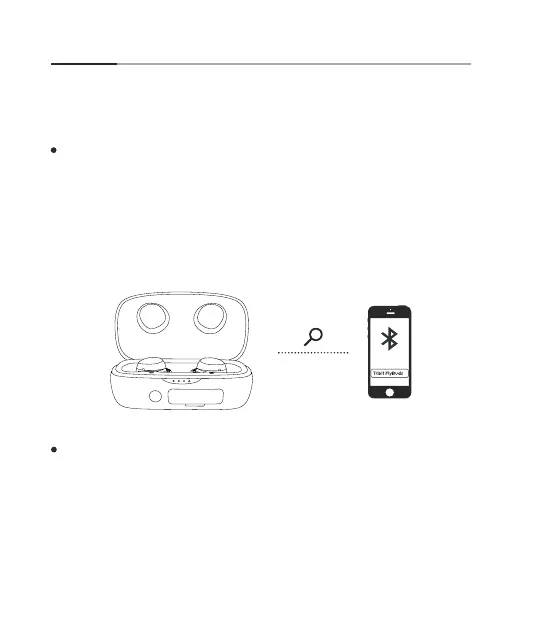
Open the top cover of the charging case, and the earbuds will automat-
ically enter Bluetooth pairing mode. Open the Bluetooth function in the
Bluetooth device, refresh the Bluetooth device search and click the audio
device named “FlyBuds 3” to connect. After successfully connecting, the
earbuds indicator will go off
Bluetooth Connection Guidelines
Connect the earbuds with a Bluetooth device
2. Please refer to number 11, earbuds reset operation. After resetting
successfully, they will enter Bluetooth pairing mode.
3


 To Next Page