15
System Settings
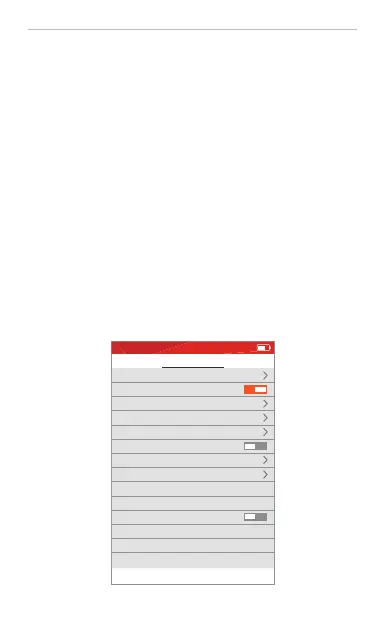
Set each parameter by Navigation and ENTER buttons.
· Auto Power Off:
Set the time for power-off or cancel the auto power-off function
· Auto Name:
Auto-name the file when saving, can be OFF
· Auto backlight off:
Set the LCD standby time: close or 15s~10min
· Buttons backlight: close or Low to High
Set backlight of buttons, convenient when working in dark condition
· Brightness:
Set LCD brightness(range 10~100)
· Format storage:
Delete all files in the device. If with TF card, delete all files in the SD card.
· USB Connection:
Connect the device to PC via USB cable to view internal or TF card saved
data
· OTG:
Set whether to view the data in TF card when connecting the device to PC
via USB cable
· Factory Settings:
Turn on when need to reset the device to factory settings, while device time
and saved data remain unchanged.
System settings
Auto Power Off
Auto Name
Auto backlight off
Beep
Format storage
USB connection
Date
Time
OTG
Factory settings
About
10min
Close
Buttons backlight
Medium
Brightness
60
2020-03-28
21:57
Press key ENTER to edit setting.
2020-10-01 THU 21:25


 To Next Page
 Loading...