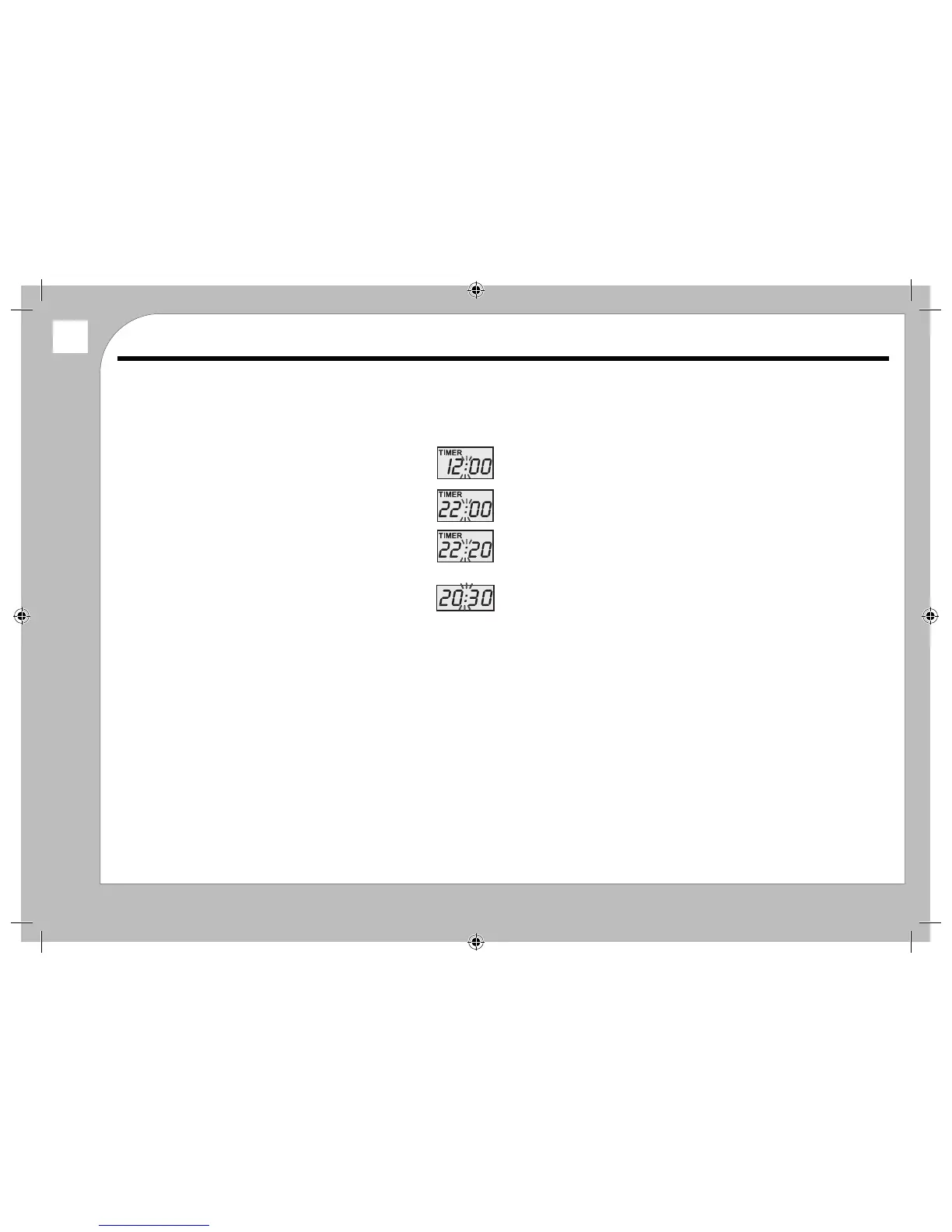
AUTO START (TIME DELAY) BREWING
Example: To bew coee at any time of your choosing (say 22:20):
1 Set the Auto Start Time
Press the PROG Button.twice. The button will light blue and the
word TIMER appears in the display. The screen defaults to 12:00
Press the HOUR button. The button will illuminate
Press the HOUR button until you reach “22”:
Press the MIN button. The button will illuminate
Press the MIN button until you reach “20”:
Press the PROG button ONCE. The word TIMER will erase from the
display and the display reverts to the clock time.
After a few seconds the PROG light will extinguish.
HINT: Set the Auto start time to 5 minutes before you want the coee!
2 Set the Auto Start Programme
Press the ON/AUTO/OFF Button twice. The button will ash blue to indicate the
coee maker is in Auto Start mode.
Fill the coee maker and place the jug on the hotplate.
When the preset time arrives the machine will switch on and brew the coee.
During this process the ON/AUTO/OFF Button will glow red.
When the coee is made it will keep warm for 2 hours. The machine will then
switch o the power to the hotplate.
To switch o Auto Start: Press ON/AUTO/OFF Button. The Indicator ashes
a steady Blue. This indicates that the machine has been turned o. After a few
seconds the Blue light will extinguish.
You can now brew coee for instant use. The machine will retain the Auto Start
time as long as it is connected to the mains supply.
To restore Auto Start: Press the ON/AUTO/OFF Button twice. The button will ash
blue to indicate the coee maker is in Auto Start mode..
In Auto start mode the time display on the coee maker is always the clock time.
3 To nd out the Auto start time:
Press the PROG Button twice. The button will ash and the Auto Set time will
display for a few seconds after which the light will extinguish and the display will
revert to clock time.
Special Features
6


 To Next Page