2-26
Operating Your Tablet Computer
Using the Accelerometer / Compass
Your Tablet Computer has a built in accelerometer sensor and comes with a
compass application. The accelerometer detects your location, surroundings,
and more. You can use the compass application to point the direction to where
you are heading.
Activating the Accelerometer
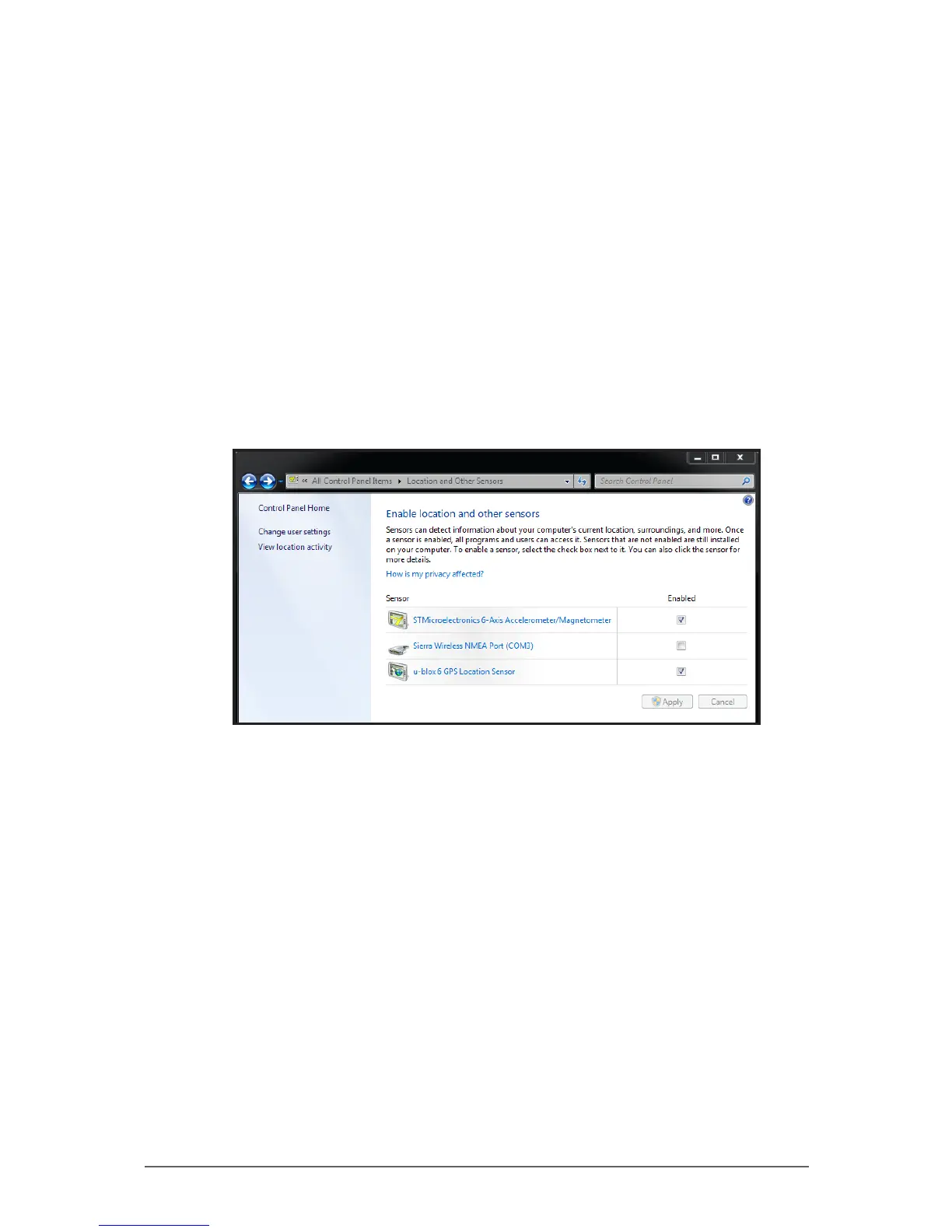
By default, the accelerometer is enabled on your Tablet Computer. However, if
you need to disable and re-enable this feature again, perform the following:
1. Tap Start > Control Panel > Location and Other Sensors.
2. On the STMicroelectronics 6-Axis, Accelerometer/Magnetometer
Enabled box, tap to enable or disable this feature.
3. Tap the Apply button to save changes.
Using the Compass
The Sensor Control Application is a compass application that points the
direction to where you are heading just like a mechanical compass does.
To open the compass application, tap Start > All Programs >
STMicroelectronics > Sensor Control Application.



 To Next Page