2-43
Operating Your Tablet Computer
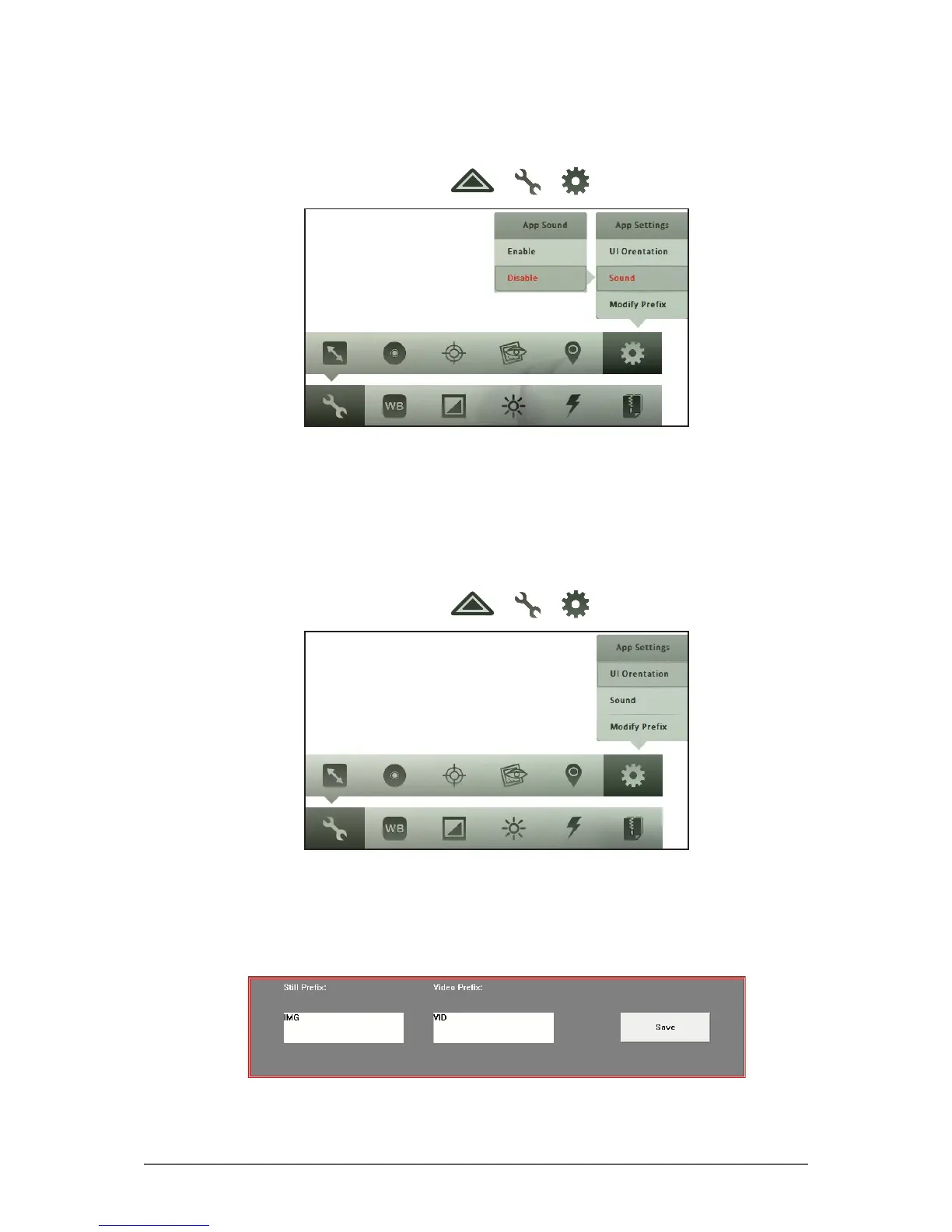
To enable sound
Perform the following to enable or disable the camera sound.
1. In Photo or Video mode, tap > > .
2. Tap Sound.
3. Tap Enable or Disable.
To modifying lename prex
Perform the following to specify the prex of photo and video lenames.
1. In Photo or Video mode, tap > > .
2. Tap Modify Prex.
3. On the Still Prex box, type the desired prex to add to photo lenames.
4. On the Video Prex box, type the desired prex to add to video lenames.
5. Tap Save to save changes.



 To Next Page