Operator Setting
Configuration
10
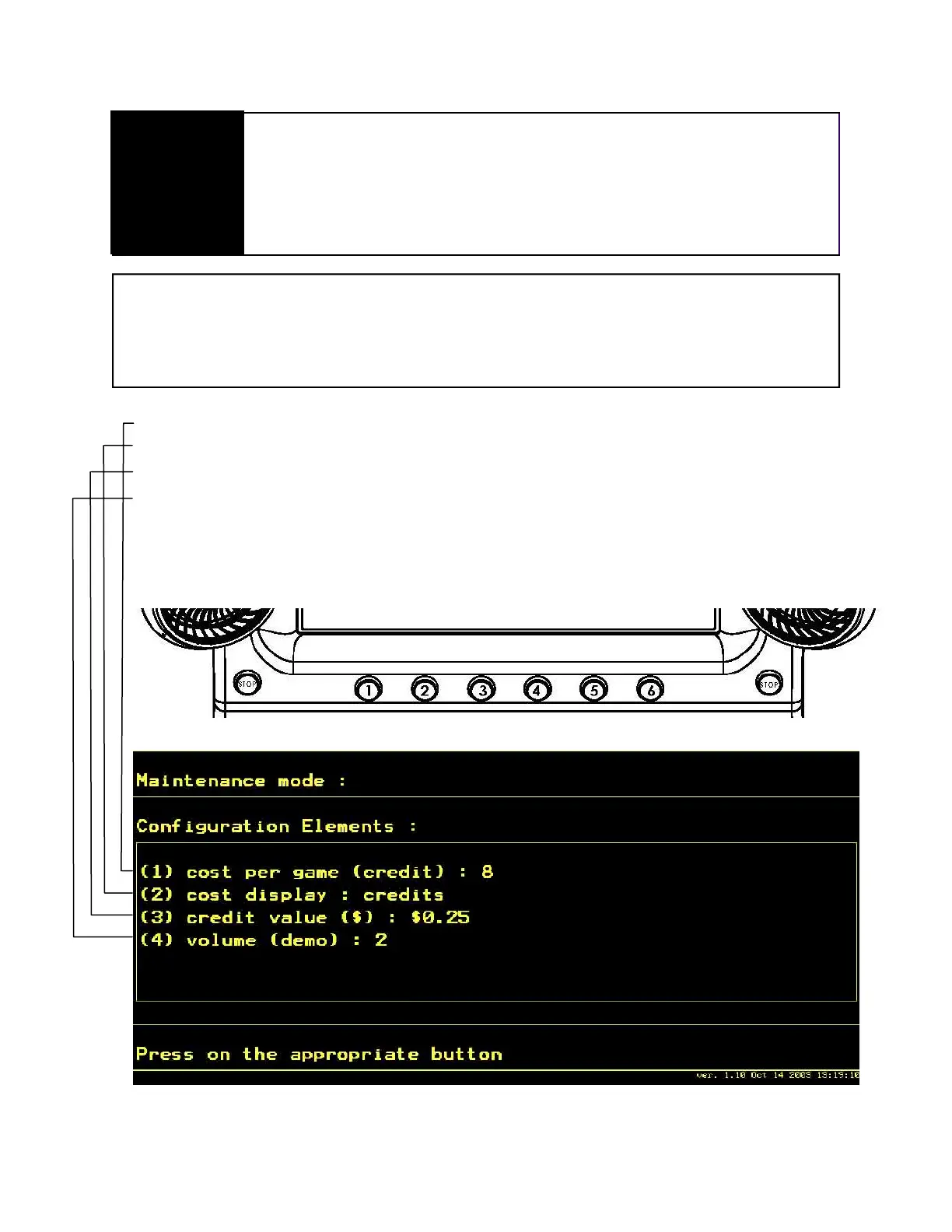
Use the large dash selection buttons 1 through 6 to change configurations. To
change any of the options, press the appropriate button until the desired setting is
reached. To return to a previous setting, keep toggling the button until it reaches
the end of the settings; then it will restart the settings from the beginning.
Amount of credits needed to start game. Set to 0 for free play (Press 1)
Choose to display credits or money on screen. (Press 2)
Value of one credit. (Press 3)
Sound volume in attract mode. (Press 4)
Hit the appropriate button on the header to change variables



 To Next Page