26
Installation continued
8
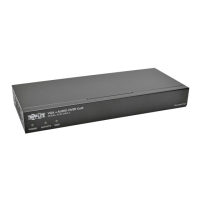
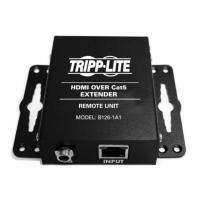
UsingCat5e/6cable,connecttheRJ45OUTPUT port on the first
remoterepeaterunittotheRJ45INPUT port on a second remote
repeater unit.
9
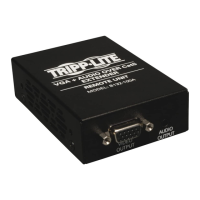
Ontheremoterepeaterunitthatyoujustadded,connectamonitor
and speakers* to the OUTPUT port(s) using a VGA video and audio*
cable.
10
Connect the external power supply to the remote repeater unit, and
then plug it into a Tripp Lite Surge Suppressor, Power Distribution Unit
(PDU) or Uninterruptible Power Supply (UPS). The Red power LED and
theGreenRJ45LEDwillilluminatetoindicatetheunitisreceiving
power.
If you are not connecting additional remote repeater units, proceed to
step 11 to complete the chain with a receiver unit. If you are connecting
another remote repeater unit, repeat steps 8 through 10.
11
UsingCat5e/6cable,connecttheRJ45OUTPUT port on the last
remoterepeaterunittotheRJ45INPUT port on a receiver unit.
12
Connect a monitor and speakers* to the OUTPUT port(s) on the
receiver unit using a VGA video and audio* cable.
13
Connect the external power supply to the receiver unit, and then plug
it into a Tripp Lite Surge Suppressor, Power Distribution Unit (PDU) or
Uninterruptible Power Supply (UPS).
Repeatsteps5through13foreachadditionalRJ45OUTPUT port on the
transmitter unit, and then proceed to step 14.
14
Turn on the power to the connected monitors and speakers*.
15
Turn on the power to the VGA video and audio* source. The Orange
RJ45LEDswillilluminatetoindicatethattheunitsarereceivinga
signal from the source.
16
Ifnecessary,usetheincludedscrewdrivertoadjusttheEqualization
and Gain settings on the remote repeater and receiver units to
improve the video image.
*If this is a feature of your extender kit.
13-04-119-93-3289.indd 26 4/26/2013 2:00:24 PM



 To Next Page
 Loading...