6
M-A/M-B
M-E
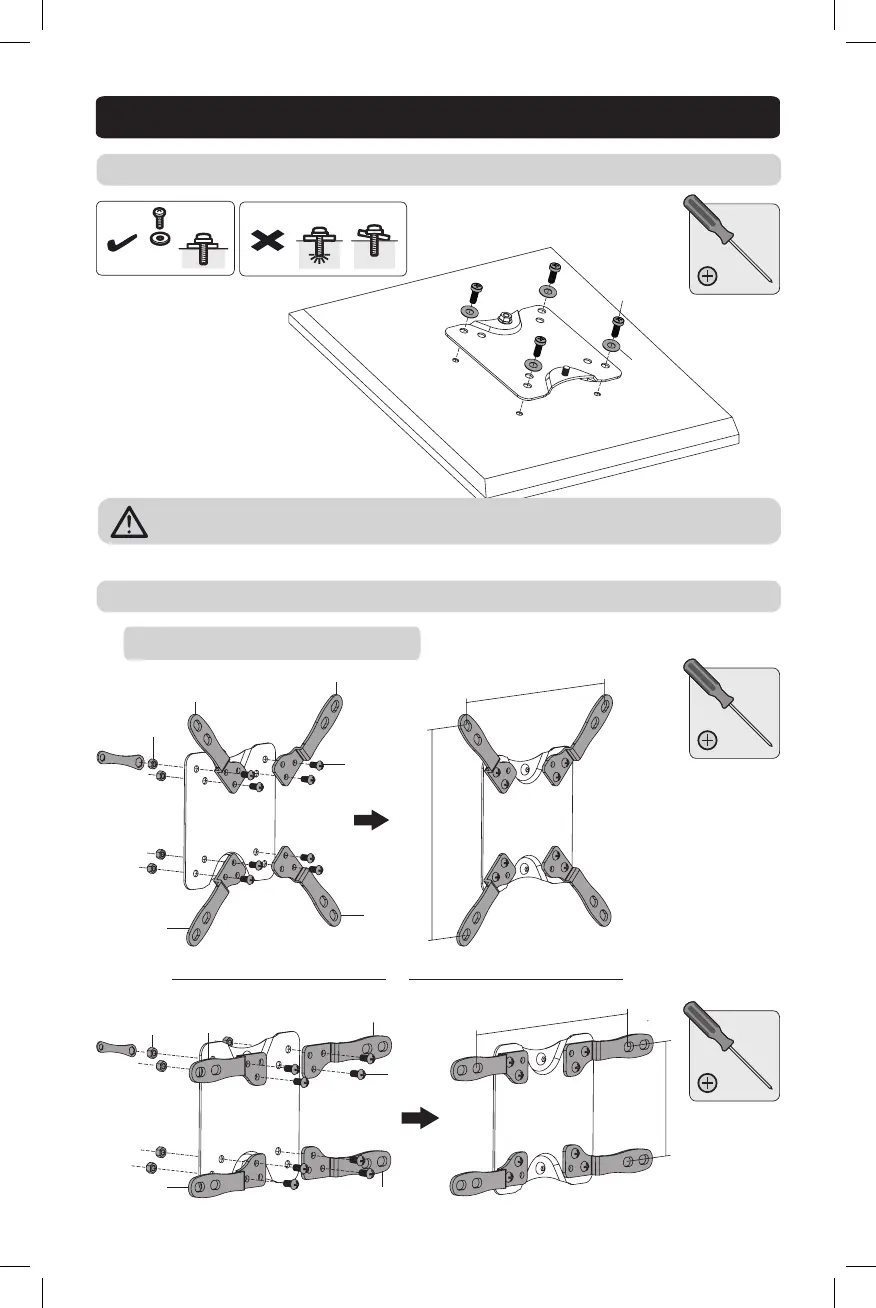
5b-1. Attach Adapters to VESA Plate
5a. For Small and Medium Displays
5b. For Larger Displays Using VESA Plate Adapters (Optional)
TV
TV
TV
H
H
K
J
G
G
G
G
H
H
J
K
7.9 in. (200 mm)
7.9 in. (200 mm)
4 in. (100 mm)
7.9 in. (200 mm)
Attach the display to the VESA plate with the appropriate included screws.
Do not over-tighten screws.
5. Attach VESA Plate to Display Panel
or
19-09-108-933B42.indd 6 10/7/2019 9:48:35 AM


 To Next Page