6
Installation
3
L
K
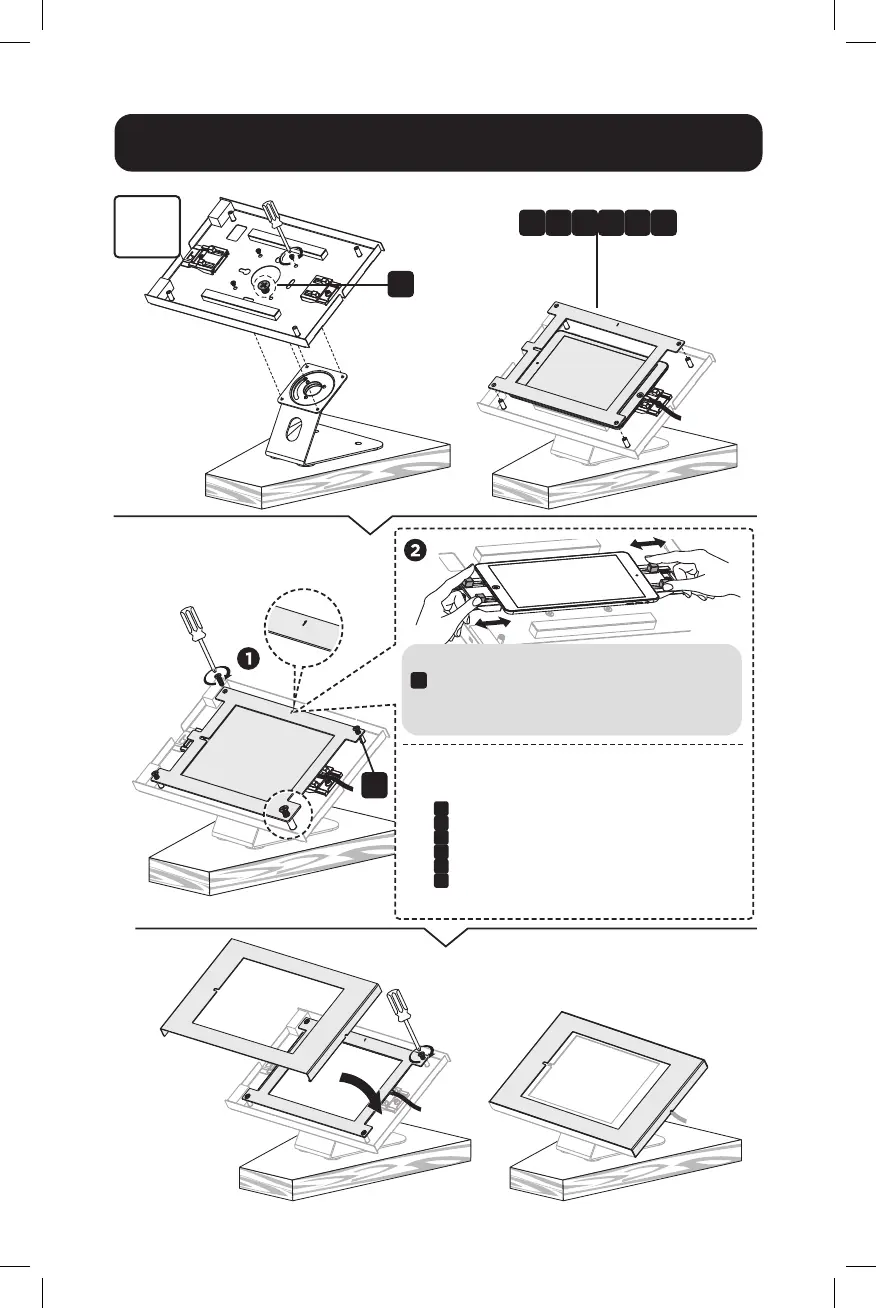
Attach the panel to the enclosure using four screws
K
. Before completely tightening the screws, adjust
the two claws to hold the tablet and to ensure the
screen is aligned and visible through the front panel.
Choose the corresponding panel according to the tablet.
Panel
B
: For 9.7" iPad 5/6, iPad Air 1/2 & iPad Pro (Gen 1)
Panel
C
: For 10.2" iPad 7 /8/9 & 10.5" iPad Air 3, iPad Pro (Gen 2)
Panel
D
: For 11" iPad Pro (Gen 3/4/5) & 10.9" iPad Air 4
Panel
E
: For 10.4" Samsung Galaxy Tab A7
Panel
F
: For 10.1" Samsung Galaxy Tab A
Panel
G
: For 10.4" Samsung Galaxy Tab S6
B D FC E G



 To Next Page